★★★★★Jun 6, 2026
App closes while in use and notes getting deletedPls fix this I paid for this, app closes while taking notes and notes are not saved when this happens

Estimated from the grossing charts of Oct 25, 2026 in the 53 countries we track, and ratings growth on the App Store.
From our daily snapshots of every grossing chart and daily ratings counts.
| Sep 26, 2026 | not in a grossing chart |
| Sep 27, 2026 | not in a grossing chart |
| Sep 28, 2026 | not in a grossing chart |
| Sep 29, 2026 | not in a grossing chart |
| Sep 30, 2026 | not in a grossing chart |
| Oct 1, 2026 | not in a grossing chart |
| Oct 2, 2026 | not in a grossing chart |
| Oct 3, 2026 | not in a grossing chart |
| Oct 4, 2026 | not in a grossing chart |
| Oct 5, 2026 | not in a grossing chart |
| Oct 6, 2026 | not in a grossing chart |
| Oct 7, 2026 | not in a grossing chart |
| Oct 8, 2026 | not in a grossing chart |
| Oct 9, 2026 | not in a grossing chart |
| Oct 10, 2026 | not in a grossing chart |
| Oct 11, 2026 | not in a grossing chart |
| Oct 12, 2026 | not in a grossing chart |
| Oct 13, 2026 | not in a grossing chart |
| Oct 14, 2026 | not in a grossing chart |
| Oct 15, 2026 | not in a grossing chart |
| Oct 16, 2026 | not in a grossing chart |
| Oct 17, 2026 | not in a grossing chart |
| Oct 18, 2026 | not in a grossing chart |
| Oct 19, 2026 | not in a grossing chart |
| Oct 20, 2026 | not in a grossing chart |
| Oct 21, 2026 | not in a grossing chart |
| Oct 22, 2026 | not in a grossing chart |
| Oct 23, 2026 | not in a grossing chart |
| Oct 24, 2026 | $1.5K a month |
| Oct 25, 2026 | not in a grossing chart |
| Oct 22, 2026 | 322 ratings |
| Oct 23, 2026 | 322 ratings |
| Oct 24, 2026 | 322 ratings |
| Oct 25, 2026 | 322 ratings |
Measured from the store, not estimated.
From the latest 32 reviews on the Japan App Store, Oct 21, 2017 to Jun 6, 2026: 34% are 1 or 2 stars. Open a theme to read what people wrote.
3 of the 1 and 2 star reviews.
★★★★★ Pls fix this I paid for this, app closes while taking notes and notes are not saved when this happens
★★★★★ HOWEVER, two days in ago, twenty minutes of thoughts I had written down, about 4 pages, just disappeared after I went away from the app for a moment.
★★★★★ When I tried to format it so that would fit on one page, it completely disappeared and I haven't been able to find it.
3 of the 1 and 2 star reviews.
★★★★★ I emailed them but have received no response.
★★★★★ I've tried to contact support via the link and it always says my email is wrong, I”ve tried three different addresses.
★★★★★ The app doesn't allow for pencil only input, and switching between draw and erase involves too many extra steps. I enjoy the feature in Inkflow that allows you to pin the pen palette to the screen. Closing and…
Nothing stands out.
3 of the 4 and 5 star reviews.
★★★★★ another top quality note application.
★★★★★ Works well, I like the calendars and the auto line advance.
★★★★★ Works great in GoodNotes.
2 of the 4 and 5 star reviews.
★★★★★ It has gotten to the point where it is not as user-friendly as it could be.
★★★★★ So easy to use, so many features.
2 of the 4 and 5 star reviews.
★★★★★ I end up having to clean up edges using the background color in the pen tool.
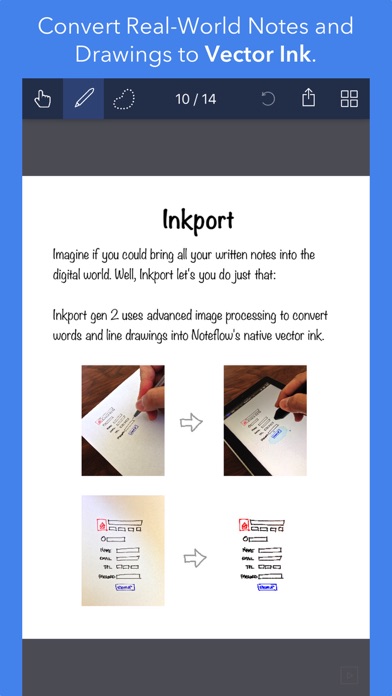
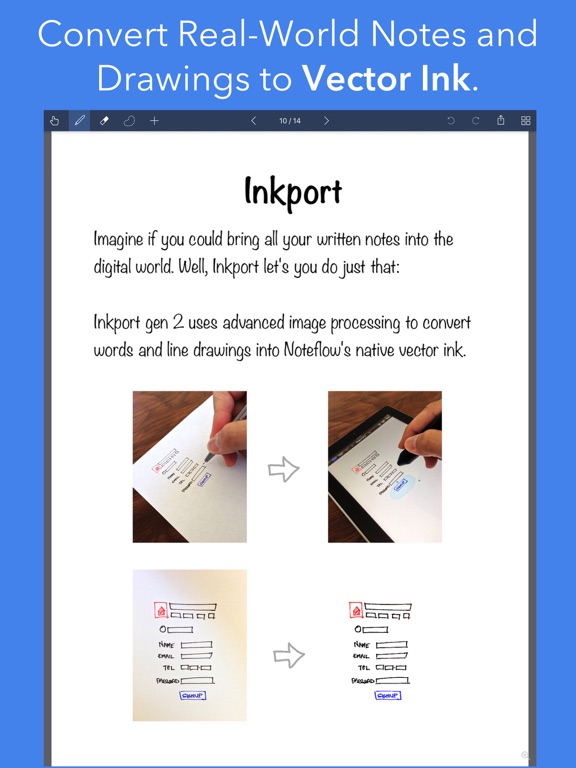
★★★★★ It's great to capture a whiteboard, digitize it with Inkport, clean it up, and share it with your colleagues.
2 of the 4 and 5 star reviews.
★★★★★ * Navigating through notebooks with many pages is a big hassle (there is no quick way to jump to a specific page or to the end - it's not a big deal on small files, but it's really difficult with 100+ page notebooks).
★★★★★ I am not able to get smooth lines/edges when erasing.
Found by matching words and phrases in the reviews, not read by a person. A review can count toward more than one theme.
Latest reviews, Japan App Store.
Pls fix this I paid for this, app closes while taking notes and notes are not saved when this happens
This is a great app overall, but it desperately needs some fixes. For example... * There is no confirmation when deleting pages and no undo for deleted pages - they are gone forever if you make a mistake * There is no confirmation when deleting a file (although I was able to search around and find an accidentally deleted file in the recently deleted area of the Files app) * The app doesn't keep your place when the app re-opens (it is very annoying every time to have to find the last file used and navigate to the last page used) * On my device (a mini), the "wide lines" are still way too close. There needs to be a 'super wide' line option to have decent space for writing * App defaults to finger pointer with no option to change the default to the pen (so you can't open the app and start writing immediately) * Unlike their other app, the eraser doesn't seem to offer the option to erase specific colors (I'm NOT referring to deleting all of a specific color, which can be done). This is so disappointing! * Navigating through notebooks with many pages is a big hassle (there is no quick way to jump to a specific page or to the end - it's not a big deal on small files, but it's really difficult with 100+ page notebooks). Not many page icons are shown either (it would be better to show a whole screen of thumbnail icons so we didn't have to do so much scrolling to find the page we need) * No undo for import issues. For example, I accidentally imported a 200+ page PDF and had to delete each of the 200 pages manually since it wouldn't undo the action * To print, you have to remember to export to a pdf and then print. I think there should be an easier way to print * The icon is so dark that it looks like a grayed out app on my screen. Please add some lighter icon options so users can pick an icon that works better for their screens I had to go to their website for help, but I found their help is lacking. For example... * There is supposed to be a way to shade behind ink, but it doesn't work (it shades over everything). Perhaps this can be done, but it is not explained how to do it * It says you can rotate, but the instructions for this feature do not seem to match what is on the screen (there is no round rotation grip) * It says there is a straight-line tool, but I can't find any such tool, even though I can find the other tools * It references the 'gallery', but I can't find any way to get to the gallery (to access the app's settings). The default home screen seems to be the app's files in the Files App with no settings for this app * It references pan mode, but does not make clear what pan mode actually is * Etc. Please consider the suggestions above. If you were to fix these items, I think it would be a 5 star app.
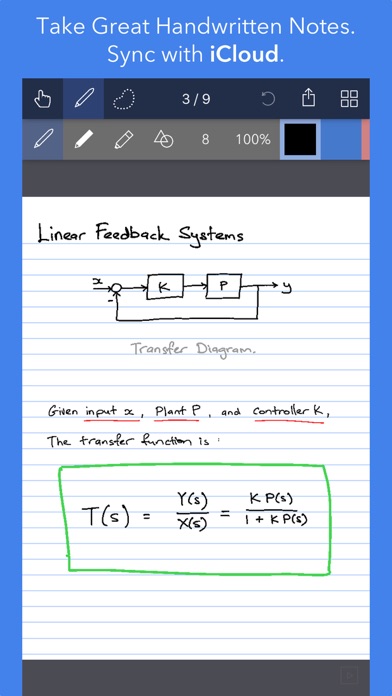
I haven’t used it enough to comment on everything. They make an app called Cardflow+ which I have been using and I love; and thought this Noteflow+ would be a good companion in which to write my Morning Pages. HOWEVER, two days in ago, twenty minutes of thoughts I had written down, about 4 pages, just disappeared after I went away from the app for a moment. So I had to stop using it since I don’t know the cause and can’t trust it to keep my work. I emailed them but have received no response. That is not a good sign. I like the other app, Cardflow+ but I just realized their subscription price of $2.99 per month is far too expensive when you compare it to an app like Morpholio (by the folks at Moleskin) and it’s simple elegance at only $3.99 per year.
For a paid app, it is very glitchy to the point that it is mostly unusable. I frequently experience the app crashing suddenly, or closing the file I was working on and saying it was suddenly “deleted remotely”. It is very annoying. I love the app but I’ve had to switch to alternatives because of how often it crashes.
Application worked for a long time and it was really handy. I think a recent iOS update messed something up. All of my docs that I”ve marked up are blank and I can only see what I wrote but not the picture or document in the back ground. I’ve tried to contact support via the link and it always says my email is wrong, I”ve tried three different addresses. Now I’m stuck with a bunch of notes that are useless and no way to export them out.
I worked for an hour on a project. When I tried to format it so that would fit on one page, it completely disappeared and I haven’t been able to find it.
Same category, earning about as much.
 Second Phone, 2nd Call Number$457 a month EST
 ScannerApp: PDF & OCR Scanner$459 a month EST
 FIMP models$451 a month EST
 MyQRcards Smart Business Card$461 a month EST
 easyFaktury$464 a month EST
 Bond – Digital Business Card$446 a month EST
 TecDoc Catalogue$472 a month EST
 Escáner Documentos: PicoScan$476 a month EST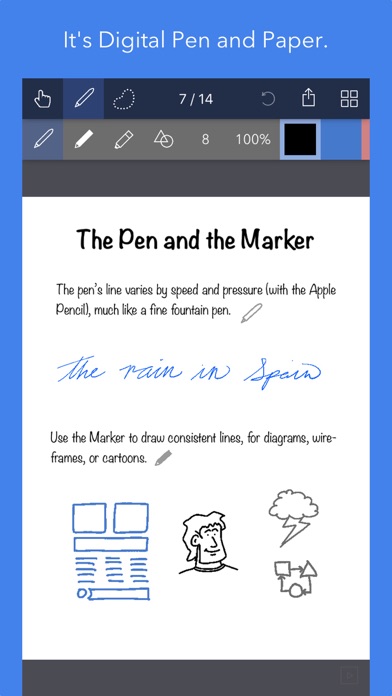
Apple Search Ads this app ran in the last 90 days, from Apple's public ad repository.
Apple only publishes ads shown in the EU (EU Digital Services Act), with a 7 day delay. An app that advertises only outside the EU shows nothing here.
Where this app is buying and earning its users. Each link opens pre filtered.
Most repeated terms in the listing. Highlighted ones also appear in the title.
Released Sep 19, 2017. Current version shipped Feb 23, 2025.
Prices, ranks and reviews are per country. Revenue above is already worldwide.


