← Back to charts
Bear: Markdown Notes & Journal icon
APP STORE

Bear: Markdown Notes & Journal

Shiny Frog Ltd. · Productivity · United States store
NOT IN TOP 100 HERE
View on App Store ↗ Instagram card
Revenue a month, worldwide
Too small to estimate
Not enough chart or ratings data
New ratings
Tracking
Daily counts start building from today
Rating
0.0 of 5
0 ratings in this store
Countries it ranks in
0
was 0 on Oct 19, 2026

Revenue

Estimated from the grossing charts of Oct 26, 2026 in the 53 countries we track, and ratings growth on the App Store.

EST. REVENUE / MONTH · WORLDWIDE
Unranked
Not in any grossing chart, and too few ratings (0) to read its growth. Most apps at this stage earn little or nothing.
EST. LIFETIME DOWNLOADS
n/a
Estimated from ratings count
RATINGS
0
AVG RATING
n/a
PRICE
Free
AGE
10.0y
LAST UPDATE
0d ago
VERSION
3.0.3
SIZE
37 MB
AGE RATING
4+

Last 30 days

From our daily snapshots of every grossing chart.

DAYS IN A GROSSING CHART
0 / 30
COUNTRIES NOW
0 (was 0)
EST. REVENUE FROM CHARTS, DAILY · APP STORE ONLY EST
Show daily values
Sep 27, 2026not in a grossing chart
Sep 28, 2026not in a grossing chart
Sep 29, 2026not in a grossing chart
Sep 30, 2026not in a grossing chart
Oct 1, 2026not in a grossing chart
Oct 2, 2026not in a grossing chart
Oct 3, 2026not in a grossing chart
Oct 4, 2026not in a grossing chart
Oct 5, 2026not in a grossing chart
Oct 6, 2026not in a grossing chart
Oct 7, 2026not in a grossing chart
Oct 8, 2026not in a grossing chart
Oct 9, 2026not in a grossing chart
Oct 10, 2026not in a grossing chart
Oct 11, 2026not in a grossing chart
Oct 12, 2026not in a grossing chart
Oct 13, 2026not in a grossing chart
Oct 14, 2026not in a grossing chart
Oct 15, 2026not in a grossing chart
Oct 16, 2026not in a grossing chart
Oct 17, 2026not in a grossing chart
Oct 18, 2026not in a grossing chart
Oct 19, 2026not in a grossing chart
Oct 20, 2026not in a grossing chart
Oct 21, 2026not in a grossing chart
Oct 22, 2026not in a grossing chart
Oct 23, 2026not in a grossing chart
Oct 24, 2026not in a grossing chart
Oct 25, 2026not in a grossing chart
Oct 26, 2026not in a grossing chart
Best rank Sep 27, 2026: not ranked. Now: not ranked. Days at zero are days outside every grossing chart.

Money and momentum

Measured from the store, not estimated.

WHAT IT CHARGES
2 purchases listed
  • Bear Pro$2.99
  • Bear Pro$29.99
Top in-app purchases as listed on the App Store, in local prices.
REVIEW MOMENTUM
1.0 reviews / week
  • Trendfalling
  • Recent reviews average3.8 stars
  • Recent 1 and 2 star share23%
From the latest 500 written reviews, covering 3558 days. The store only returns this many, so this is the most recent slice.
RELEASE CADENCE
7 updates in 90 days
  • Typical gap between releases9 days
From the last 25 versions listed on the App Store.

What users want

From the latest 500 reviews on the United States App Store, Jan 28, 2017 to Oct 9, 2026: 23% are 1 or 2 stars. Open a theme to read what people wrote.

WHAT THEY COMPLAIN ABOUT · SHARE OF BAD REVIEWS
Lost data, sync, backup44%

51 of the 1 and 2 star reviews.

★★★★★ I lost nearly a whole day's worth of work assembling long complex documents because I trusted that it was automatically saving my work as I went along.
★★★★★ What I *hate* is that the only “Pro” option (which blocks access to iCloud syncing) is a subscription.
★★★★★ This update lost my all note pin top infomation!!!!
Price and subscription30%

35 of the 1 and 2 star reviews.

★★★★★ My family would gladly subscribe if Bear supported shared notes.
★★★★★ What I *hate* is that the only “Pro” option (which blocks access to iCloud syncing) is a subscription.
★★★★★ I'm not paying for a subscription my entire life for the SIMPLE NEED of seeing my notes on all devices, a feature I get for free on other notes apps.
No customer support23%

27 of the 1 and 2 star reviews.

★★★★★ Doesn't support Windows or Linux.
★★★★★ Seeking solutions or at least a timeline for when these much-needed enhancements might be implemented, I reached out to Bear's support team.
★★★★★ Bear is a great app for notes, but it's missing support for equations.
Bugs, things not working14%

16 of the 1 and 2 star reviews.

★★★★★ After the update, it doesn't function the same way and it is super glitchy.
★★★★★ I've been a faithful bear pro user for several years and have to cancel because this new version of bear only works on OS 11 or later which I can't put on my desktop. Very disappointing that they can't make this…
★★★★★ Updates before that were mostly bug fixes.
Worse after an update14%

16 of the 1 and 2 star reviews.

★★★★★ This makes it effectively useless for software engineering, where version controlled MD files need regularly used, updated, and pushed back into the repositories.
★★★★★ This update lost my all note pin top infomation!!!!
★★★★★ Was looking forward to updates-especially collapsible text (tried Panda while they were working out the update).
Missing features13%

15 of the 1 and 2 star reviews.

★★★★★ But the lack of collaboration has become a real problem.
★★★★★ One of the most glaring issues with Bear's editor is its lack of features, especially when compared to other note-taking apps on the market.
★★★★★ Bear is a great app for notes, but it's missing support for equations.
Wrong or poor results11%

13 of the 1 and 2 star reviews.

★★★★★ This makes it effectively useless for software engineering, where version controlled MD files need regularly used, updated, and pushed back into the repositories.
★★★★★ I will be switching over to Notion or Evernote or something similar permanently and cancelling my subscription, because it's just useless to not be able to access notes on my phone.
★★★★★ 1. No markdown viewer. I just can't see markdown docs in it. When trying "Preview in Marked" (?), it responds with something I don't really understand. 2. Immediately installs a Safari extention I didn't ask for.…
Crashes and freezes9%

10 of the 1 and 2 star reviews.

★★★★★ With Bear version 2, my love affair is over - betrayed because Bear version 2 data (synced to the cloud) will corrupt data on any device and may crash the device, that is still using Bear version 1.
★★★★★ I can no longer access any of my notes, since the program crashes immdiately on opening
★★★★★ I'm very disapointed to see that when I open the app, it imediatly crashes.
WHAT THEY ASK FOR
  • First, I either need a directory structured organization system or tags need to nest more than one deep. 5★, Jul 17, 2026
  • Mathjax support would be phenomenal, but that's likely not high on the feature request list. 5★, Jul 17, 2026
  • I would be nice if you allow us to add bullet points inside a table. 4★, Sep 12, 2025
  • In my current circumstances, I need a notes app that syncs to android so I've been forced to switch. 4★, Aug 20, 2025
  • However, I won't be able to ditch apple notes which is functioning as our grocery list until they add an ability to collaborate with family members on a note. 4★, Mar 8, 2025
  • I just A of all) hope they don's screw it up, and B of all) wish they would make a calendar app that is close to as good. 5★, Dec 28, 2024
  • Bear has only the features that you need and they work like a charm. 5★, Nov 4, 2024
  • I say almost perfect bc y'all still need to add version history (hopefully before apple notes gets it :p) 5★, Apr 24, 2024
WORDS THAT KEEP COMING UP IN BAD REVIEWS
syncing between6customer service4cross platform5bear pro9markdown editor6support team3syncing issues3two or three3mind paying3non starter3create new3pro user3
WHAT THEY LOVE · SHARE OF GOOD REVIEWS
Easy to use39%

129 of the 4 and 5 star reviews.

★★★★★ Bear is simple, clean, FAST, and very adaptable top all sorts pf my needs: travel, cooking (recipes), teaching, training, everything.
★★★★★ They took an already wonderful app and have continued developing but keeping everything elegant and simple.
★★★★★ Not only is the app responsive as a text editor with great control over the typography, it is easy to find the note you need in a project using the search and tags.
Looks great36%

120 of the 4 and 5 star reviews.

★★★★★ I am a big fan of the Bear app, of Markdown in general, and I really like most of what Bear provides in terms of UX, note organization via tagging, and just a nice clean interface.
★★★★★ Bear is simple, clean, FAST, and very adaptable top all sorts pf my needs: travel, cooking (recipes), teaching, training, everything.
★★★★★ The Bear editor is basic but super clean and works for my purposes.
Fast17%

55 of the 4 and 5 star reviews.

★★★★★ Bear is simple, clean, FAST, and very adaptable top all sorts pf my needs: travel, cooking (recipes), teaching, training, everything.
★★★★★ Bear is conveniently fast, efficient, syncs seamlessly across all devices, and did I say BEAR-UTIFUL!?
★★★★★ Bear is smooth, well designed and worth the money if you're someone who wants to take your personal research and projects to the next level.
Useful, it helps13%

44 of the 4 and 5 star reviews.

★★★★★ The tags work great- I love the way notes can be pinned to the all notes or separately in their tagged spaces, the recently added- very useful feature - flexible workspaces - really helps to focus on one project at a…
★★★★★ Bear is everything that Craft is not: beautiful, simple, useful, and intelligible.
★★★★★ These other markdown apps all seem more bloated with features and UI that I don't necessarily find useful, so I'm missing Bear something awful.
Great support13%

43 of the 4 and 5 star reviews.

★★★★★ I am a big fan of the Bear app, of Markdown in general, and I really like most of what Bear provides in terms of UX, note organization via tagging, and just a nice clean interface. But more and more I want to update…
★★★★★ A couple of months ago, they added BearCLI, a Claude Connector, and Model Context Protocol (MCP) server support to connect notes to external power tools.
★★★★★ Second, I would like to see support for a larger set of Markdown features.

Found by matching words and phrases in the reviews, not read by a person. A review can count toward more than one theme.

What users say

Latest reviews, United States App Store.

★★★★★Oct 9, 2026
Desperately needs better AI support

I am a big fan of the Bear app, of Markdown in general, and I really like most of what Bear provides in terms of UX, note organization via tagging, and just a nice clean interface. But more and more I want to update notes via an agent, and Bear just isn’t setup to allow that. Come on, Shiny Frog - it’s fall 2026, get with the times!

★★★★★Sep 28, 2026
WONDERFUL

I love this application. I was a long time Evernote user until it got SO overloaded with extras I could not use it. Bear is simple, clean, FAST, and very adaptable top all sorts pf my needs: travel, cooking (recipes), teaching, training, everything. HIGHLY recommended

★★★★★Sep 26, 2026
Updated: I’m back

I was an early user but left because I needed tables. I was doing OK with Apple Notes, but in recent months I’ve wanted something more attractive and with an editor that could be use for real word processing. The Bear editor is basic but super clean and works for my purposes. I love the markdown functionality, and the syncing seems good. So a happy user.

★★★★★Sep 23, 2026
Pretty good notes app

Solid writing experience, lots feels like it’s missing. Search just doesn’t work even when you know the exact phrase you’re looking for and use boolean logic and quotes. Search results include fragments of the word you’re searching for inside other words you’re not searching for. If you have thousands of notes not being able to find exactly what you’re looking for makes you regret investing so much in this app. Also there’s no version history so you can have multiple drafts in a single document. Feeling more and more frustrated.

★★★★★Sep 18, 2026
What Evernote USED to be

I miss the old Evernote. No AI. Simple. Reliable. Just tags and a slick simple place to put notes of any kind. That’s what Bear is.

★★★★★Aug 6, 2026
Evernote refugee

Gorgeous app- thoughtfully designed. After 15 years with Evernote, the deluge of AI added ‘benefits’ and pricing hikes it was time to close that chapter. The thing is, I should’ve moved on 5 years ago. Bear does everything that Evernote but much better except a few caveats, like live collab note sharing - so Apple Notes can be used for that occasional usage. TBH - Bear’s updated 2.0 web clipper does, in most cases does a more elegant job than Evernote anyway. The tags work great- I love the way notes can be pinned to the all notes or separately in their tagged spaces, the recently added- very useful feature - flexible workspaces - really helps to focus on one project at a time. A couple of months ago, they added BearCLI, a Claude Connector, and Model Context Protocol (MCP) server support to connect notes to external power tools. Bravo, Bear dev team. They took an already wonderful app and have continued developing but keeping everything elegant and simple. To write without a messy and cluttered interface in markdown or not. For me, I would like to eventually have the opportunity to have an auto backup of notes history.

Store screenshots

ScreenshotScreenshotScreenshotScreenshotScreenshotScreenshotScreenshot

App Store ads

Apple Search Ads this app ran in the last 90 days, from Apple's public ad repository.

No App Store ads in the EU
None in the last 90 days.

Apple only publishes ads shown in the EU (EU Digital Services Act), with a 7 day delay. An app that advertises only outside the EU shows nothing here.

Growth research

Where this app is buying and earning its users. Each link opens pre filtered.

ASO keywords

Most repeated terms in the listing. Highlighted ones also appear in the title.

bear17notes16bear pro8tags7text7pro required6markdown5pro5plain text5write4tasks4required4search4important tags3export notes3html docx3docx pdf3pdf jpg3jpg epub3search text3text inside3pdfs bear3beautiful3create3

What's new in 3.0.3

Keep your focus where it belongs. Typewriter Mode keeps the line you’re writing locked in the middle of the screen, so your eyes stay put while your words scroll by. Turn it on from Edit › Typewriter Mode, or press ⌃⌘T, and enjoy a calmer, distraction-free flow for long writing sessions.

Released Nov 3, 2016. Current version shipped Oct 26, 2026.

Store description

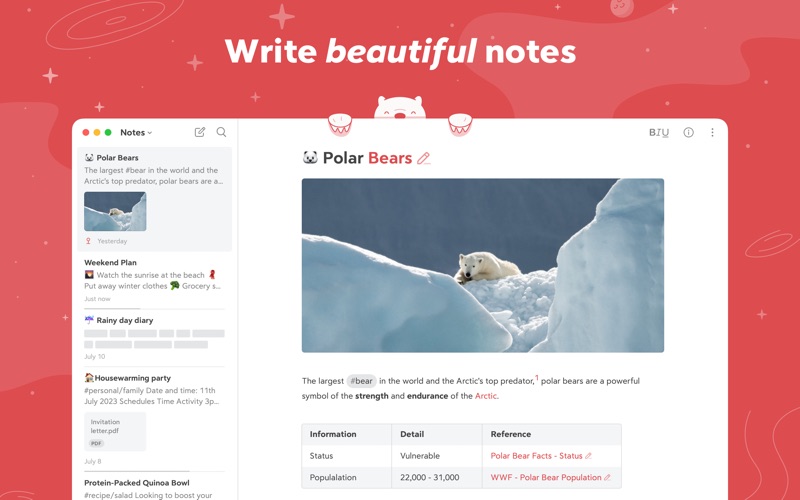
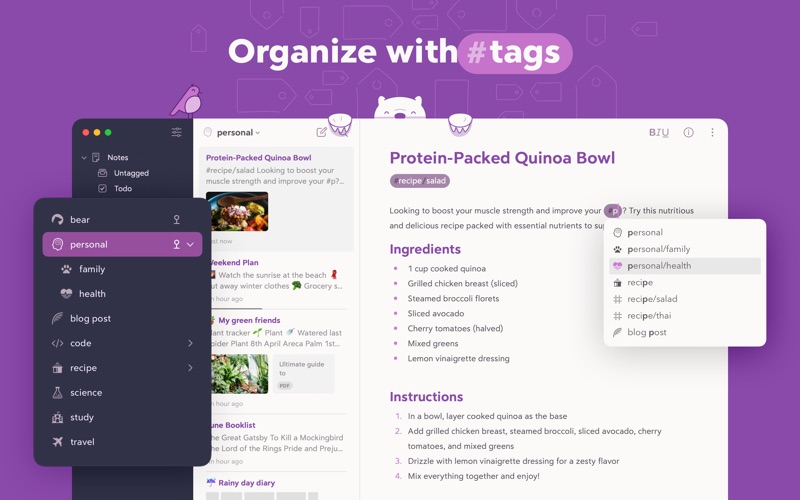
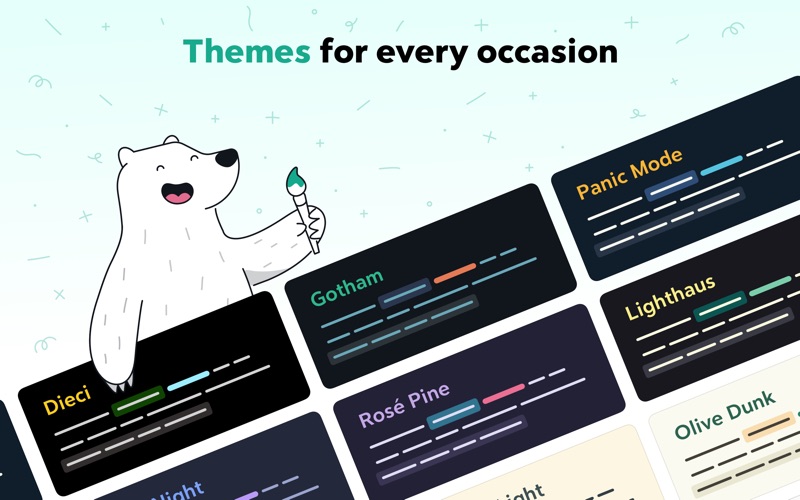
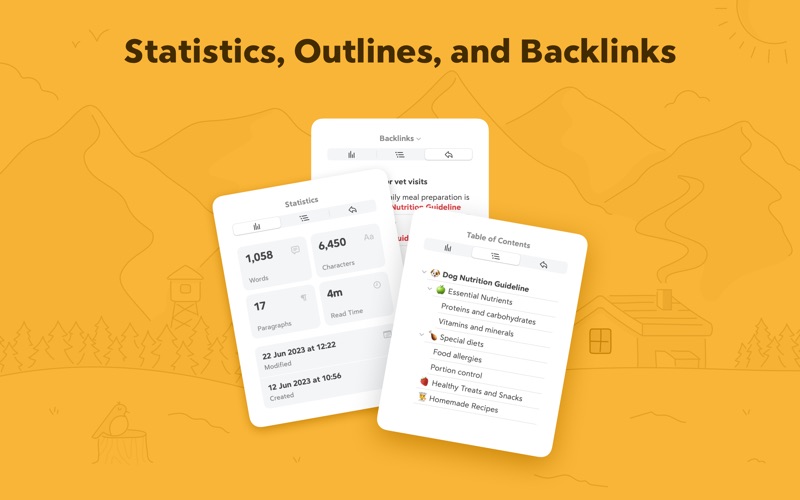
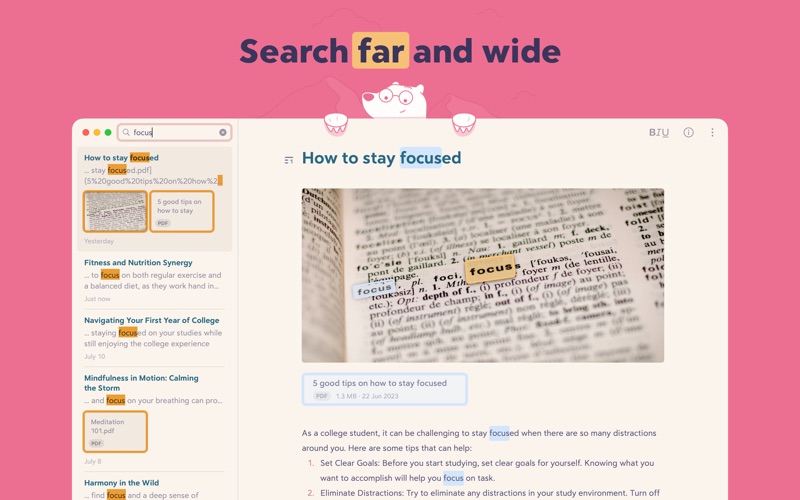
Bear is a beautiful, powerfully simple Markdown app to capture, write, and organize your life. ​ Take notes, plan your day, journal thoughts, organize tables, create lists and tasks, sketch ideas, link notes together, write a book, and much more. Bear is used by writers, lawyers, chefs, CEOs, teachers, doctors, engineers, students, parents.. you get the picture. Getting started couldn’t be faster—no signup and no account. Just open a note and write naturally. ​ "My journaling app of choice is Bear" - Kit Eaton, New York Times ​ * 2017 Apple Design Award * 2016 App Store App of the Year * Editors' choice for 7 consecutive years * Most of our parents love it ​ ## BEAUTIFUL. SIMPLE. POWERFUL. PRIVATE - Tools stay out of your way so you can just write - Clip web pages and other content with Bear’s app extension - The redesigned Info Panel now with Table of Contents and Backlinks - Support for all the scripts including RTL languages like Arabic, Hebrew, and Persian - Easily create notes with Siri and Shortcuts - Your notes, not ours - Bear is private at its core: We cannot see your notes, tags, or anything else ​ ## FLEXIBLE MARKDOWN ​ - Work in plain text - easy to move between apps - Still use formatting like bold, italics, strikethrough, links, tables, and more with Markdown - Combine text styles like bold and underline, even in headings - Markdown hides for a clean reading experience - Use WikiLinks to connect notes and build a personal wiki or knowledge management tool ​ ## GET ORGANIZED with #tags, tasks, and more ​ - Add #tags, #multi-word tags# and even #multiple/nested/tags anywhere in a note for quick organization - Pin important tags to the top of the Sidebar - Make important tags stand out in the Sidebar with TagCons - Add tasks to notes and easily view all notes that include tasks - Fold sections to get them out of the way ​ ## SHARING MADE EASY ​ - Export notes to plain text, Markdown, TextBundle, Bear note, and rich text - Export notes to HTML, DocX, PDF, JPG, and ePub (Bear Pro required) - Easily share your notes to any third-party app with the Share Sheet ​ ## SEARCH FAR AND WIDE ​ - Use Spotlight to search your notes from anywhere - Search for text inside photos and PDFs (Bear Pro required) - Focus on specific types of notes with powerful Special Searches like @todo, @images, and @yesterday ​ ## CREATE YOUR COZY SPACE ​ * Pick from nearly 30 themes for the perfect writing space in both Light and Dark Mode (Bear Pro required) * Choose an app icon that speaks to your personality (Bear Pro required) * Set your own fonts for plain text, headings, and code * Set line height and width, paragraph spacing, and more ​ ## GET MORE WITH BEAR PRO ​ One subscription enables a variety of features on all your devices and keeps the Bear hugs coming. ​ - Sync notes between your iPhone, iPad, and Mac via iCloud - Encrypt individual notes with a password that is entirely private to you - Lock Bear with Face/Touch ID - Export to more formats including HTML, DocX, PDF, JPG, and ePub - Search for text inside images and PDFs in Bear notes - Over 30 beautiful app themes & app icons ​ $2.99 monthly $29.99 yearly 14-day free trial ​ ----- Price may vary by location. Subscriptions will be charged to your credit card through your App Store account. Your subscription will automatically renew unless canceled at least 24 hours before the end of the current period. You will not be able to cancel the subscription once activated. After purchase, manage your subscriptions in App Store Account Settings. Any unused portion of a free trial period will be forfeited when the user purchases a subscription. ----- ​ bear@shinyfrog.net Twitter: BearNotesApp Reddit: reddit.com/r/BearApp Facebook: BearNotes Instagram: BearNotesApp Privacy Policy: http://www.bear.app/privacy/ Terms of Service: http://www.bear.app/terms/

See this store page in another country

Prices, ranks and reviews are per country. Revenue above is already worldwide.