← Back to charts
Microsoft Authenticator icon
APP STORE

Microsoft Authenticator

Microsoft Corporation · Productivity · Saudi Arabia store
#98 TOP FREE
View on App Store ↗ Google Play version →
Revenue a month, worldwide
Too small to estimate
Not enough chart or ratings data
New ratings
Tracking
Daily counts start building from today
Rating
4.7 of 5
9.2K ratings in this store
Countries it ranks in
0
was 0 on Oct 15, 2026

Revenue

Estimated from the grossing charts of Oct 21, 2026 in the 53 countries we track, and ratings growth on the App Store.

EST. REVENUE / MONTH · WORLDWIDE
Unranked
Not in any grossing chart, and it sells nothing in the store (no in-app purchases, free download). Any revenue comes from ads or payments outside the store, which we can't see.
EST. LIFETIME DOWNLOADS
320.3K to 915.1K
Estimated from ratings count
RATINGS
9.2K
AVG RATING
4.73
PRICE
Free
AGE
11.4y
LAST UPDATE
2d ago
VERSION
6.8.57
SIZE
226 MB
AGE RATING
4+

Last 29 days

From our daily snapshots of every grossing chart.

DAYS IN A GROSSING CHART
0 / 29
COUNTRIES NOW
0 (was 0)
EST. REVENUE FROM CHARTS, DAILY · BOTH STORES ONLY EST
Show daily values
Sep 24, 2026not in a grossing chart
Sep 25, 2026not in a grossing chart
Sep 26, 2026not in a grossing chart
Sep 27, 2026not in a grossing chart
Sep 28, 2026not in a grossing chart
Sep 29, 2026not in a grossing chart
Sep 30, 2026not in a grossing chart
Oct 1, 2026not in a grossing chart
Oct 2, 2026not in a grossing chart
Oct 3, 2026not in a grossing chart
Oct 4, 2026not in a grossing chart
Oct 5, 2026not in a grossing chart
Oct 6, 2026not in a grossing chart
Oct 7, 2026not in a grossing chart
Oct 8, 2026not in a grossing chart
Oct 9, 2026not in a grossing chart
Oct 10, 2026not in a grossing chart
Oct 11, 2026not in a grossing chart
Oct 12, 2026not in a grossing chart
Oct 13, 2026not in a grossing chart
Oct 14, 2026not in a grossing chart
Oct 15, 2026not in a grossing chart
Oct 16, 2026not in a grossing chart
Oct 17, 2026not in a grossing chart
Oct 18, 2026not in a grossing chart
Oct 19, 2026not in a grossing chart
Oct 20, 2026not in a grossing chart
Oct 21, 2026not in a grossing chart
Oct 22, 2026not in a grossing chart
Best rank Sep 24, 2026: not ranked. Now: not ranked. Days at zero are days outside every grossing chart.

Money and momentum

Measured from the store, not estimated.

WHAT IT CHARGES
No in-app purchases
Earns from its upfront price, ads or payments outside the store.
REVIEW MOMENTUM
0.2 reviews / week
  • Trendrising
  • Recent reviews average2.6 stars
  • Recent 1 and 2 star share58%
From the latest 86 written reviews, covering 3530 days.
RELEASE CADENCE
6 updates in 90 days
  • Typical gap between releases16 days
From the last 25 versions listed on the App Store.
RATING BREAKDOWN
9.2K ratings
5★89%
4★5%
3★2%
2★1%
1★4%

What users say

Latest reviews, Saudi Arabia App Store.

★★★★★Oct 3, 2026
عدم وصول رمز التحقق

لا يصلني رمز التحقق على التطبيق

★★★★★Sep 6, 2026
Amazing

Amazing app to secure your mails and accounts

★★★★★Sep 4, 2026
Difficult

Very difficult to use if you don’t know how to, you need miracles to make it done

★★★★★Aug 30, 2026
.

This the worst app ever, I wish it was never invented.

★★★★★Aug 30, 2026
Worst app ever

I lost my uni email and lessons because i cant sigh in to my email I tried to sign in to my uni email in the app and he asked me for a code that i will get in the app if i was sign in bruh🫩

★★★★★Aug 29, 2026
.

It won’t work And I can’t access my school email anymore There is nothing I can put the code in And now I need to put a code to access the app itself but I can’t even do that too

Store screenshots

ScreenshotScreenshotScreenshotScreenshotScreenshotScreenshotScreenshotScreenshotScreenshotScreenshot

App Store ads

Apple Search Ads this app ran in the last 90 days, from Apple's public ad repository.

Apple's ad repository couldn't be reached right now. Try again later.

Growth research

Where this app is buying and earning its users. Each link opens pre filtered.

ASO keywords

Most repeated terms in the listing. Highlighted ones also appear in the title.

microsoft13microsoft authenticator11authenticator7accounts7factor authentication6work school6authentication5password5multi factor5factor4work4school4microsoft personal3personal work3school accounts3getting started3second layer3layer security3approve notification3notification sent3time password3log microsoft3multi3additional3

What's new in 6.8.57

We're always working on new features, bug fixes, and performance improvements. Make sure you stay updated with the latest version for the best authentication experience.

Released May 30, 2015. Current version shipped Oct 20, 2026.

Store description

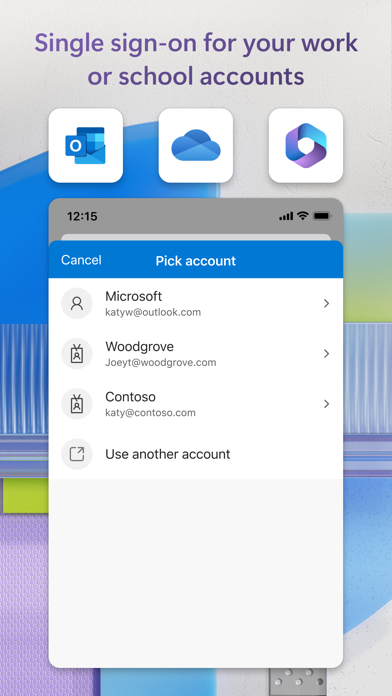
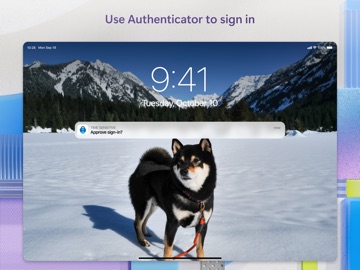
Use Microsoft Authenticator for easy, secure sign-ins for all your online accounts using multi-factor authentication, passwordless, or password autofill. You also have additional account management options for your Microsoft personal, work or school accounts. Getting started with multi-factor authentication Multi factor authentication (MFA)provides a second layer of security. When enabled, during login after entering your password, you’ll be asked for an additional way to prove it’s really you. Either approve the notification sent to the Microsoft Authenticator, or enter the one-time password (OTP) generated by the app. The OTP codes have a 30 second timer counting down. This timer is so you never have to use the same time-based one-time password (TOTP) twice and you don’t have to remember the number. The OTP doesn’t require you to be connected to a network, and it won’t drain your battery. You can add multiple accounts to your app, including non-Microsoft accounts like Facebook, Amazon, Dropbox, Google, LinkedIn, GitHub, and more. Getting started with passwordless Use your phone, not your password, to log into your Microsoft account. Just enter your username, then approve the notification sent to your phone. Your fingerprint, face ID, or PIN will provide a second layer of security in this two-step verification process. After you’ve signed in with two factor authentication (2FA), you’ll have access to all your Microsoft products and services, such as Outlook, OneDrive, Office, and more. Microsoft personal, work or school accounts Sometimes your work or school might ask you to install the Microsoft Authenticator when accessing certain organization resources. You will need to register your device to your organization through the app and add your work or school account. Microsoft Authenticator supports cert-based authentication by issuing a certificate on your device. This will let your organization know that the sign-in request is coming from a trusted device and help you seamlessly and securely access additional Microsoft apps and services without needing to log into each. Microsoft Authenticator may request the following optional permissions, which require your consent. You can continue to use Microsoft Authenticator without granting these permissions. However, some features may be limited or unavailable. For more information, please see below: - Face ID: To enable app lock and help protect your accounts - Camera: To scan QR codes when adding accounts to Microsoft Authenticator.

See this store page in another country

Prices, ranks and reviews are per country. Revenue above is already worldwide.

More from Microsoft Corporation

Microsoft Teams
Business
134.6K ratingsAnalyze →
Microsoft Outlook
Productivity
639.9K ratingsAnalyze →
Microsoft Word
Productivity
374K ratingsAnalyze →
Microsoft PowerPoint
Productivity
181.6K ratingsAnalyze →
Microsoft Excel
Productivity
121.8K ratingsAnalyze →
Microsoft Copilot
Productivity
119.4K ratingsAnalyze →
Microsoft Edge
Utilities
24.4K ratingsAnalyze →
Microsoft OneDrive
Productivity
24.3K ratingsAnalyze →
Microsoft OneNote
Productivity
70.7K ratingsAnalyze →