← Back to charts
QuickBooks Workforce icon
APP STORE

QuickBooks Workforce

Intuit Inc. · Business · Brazil store
NOT IN TOP 100 HERE
View on App Store ↗ Google Play version →
Revenue a month, worldwide
Too small to estimate
Not enough chart or ratings data
New ratings
Tracking
Daily counts start building from today
Rating
4.6 of 5
120 ratings in this store
Countries it ranks in
0
was 0 on Oct 15, 2026

Revenue

Estimated from the grossing charts of Oct 21, 2026 in the 53 countries we track, and ratings growth on the App Store.

EST. REVENUE / MONTH · WORLDWIDE
Unranked
Not in any grossing chart, and it sells nothing in the store (no in-app purchases, free download). Any revenue comes from ads or payments outside the store, which we can't see.
EST. LIFETIME DOWNLOADS
4.2K to 12K
Estimated from ratings count
RATINGS
120
AVG RATING
4.58
PRICE
Grátis
AGE
12.3y
LAST UPDATE
9d ago
VERSION
5.33.1
SIZE
259 MB
AGE RATING
+4

Last 29 days

From our daily snapshots of every grossing chart.

DAYS IN A GROSSING CHART
0 / 29
COUNTRIES NOW
0 (was 0)
EST. REVENUE FROM CHARTS, DAILY · BOTH STORES ONLY EST
Show daily values
Sep 24, 2026not in a grossing chart
Sep 25, 2026not in a grossing chart
Sep 26, 2026not in a grossing chart
Sep 27, 2026not in a grossing chart
Sep 28, 2026not in a grossing chart
Sep 29, 2026not in a grossing chart
Sep 30, 2026not in a grossing chart
Oct 1, 2026not in a grossing chart
Oct 2, 2026not in a grossing chart
Oct 3, 2026not in a grossing chart
Oct 4, 2026not in a grossing chart
Oct 5, 2026not in a grossing chart
Oct 6, 2026not in a grossing chart
Oct 7, 2026not in a grossing chart
Oct 8, 2026not in a grossing chart
Oct 9, 2026not in a grossing chart
Oct 10, 2026not in a grossing chart
Oct 11, 2026not in a grossing chart
Oct 12, 2026not in a grossing chart
Oct 13, 2026not in a grossing chart
Oct 14, 2026not in a grossing chart
Oct 15, 2026not in a grossing chart
Oct 16, 2026not in a grossing chart
Oct 17, 2026not in a grossing chart
Oct 18, 2026not in a grossing chart
Oct 19, 2026not in a grossing chart
Oct 20, 2026not in a grossing chart
Oct 21, 2026not in a grossing chart
Oct 22, 2026not in a grossing chart
Best rank Sep 24, 2026: not ranked. Now: not ranked. Days at zero are days outside every grossing chart.

Money and momentum

Measured from the store, not estimated.

WHAT IT CHARGES
No in-app purchases
Earns from its upfront price, ads or payments outside the store.
REVIEW MOMENTUM
Too few reviews
Fewer than 3 recent written reviews in this country.
RELEASE CADENCE
6 updates in 90 days
  • Typical gap between releases14 days
From the last 25 versions listed on the App Store.
RATING BREAKDOWN
120 ratings
5★86%
4★3%
3★3%
2★0%
1★8%

Store screenshots

ScreenshotScreenshotScreenshotScreenshotScreenshotScreenshot

App Store ads

Apple Search Ads this app ran in the last 90 days, from Apple's public ad repository.

Apple's ad repository couldn't be reached right now. Try again later.

Growth research

Where this app is buying and earning its users. Each link opens pre filtered.

ASO keywords

Most repeated terms in the listing. Highlighted ones also appear in the title.

time14quickbooks11quickbooks time8payroll6time elite5pay4payroll quickbooks3pay info3features available3available businesses3businesses quickbooks3quickbooks online3time tracking3real time3time reports3track3features3online3tracking3team3clock3timesheets3job3elite3

What's new in 5.33.1

Bug fixes and performance improvements

Released Jul 17, 2014. Current version shipped Oct 13, 2026.

Store description

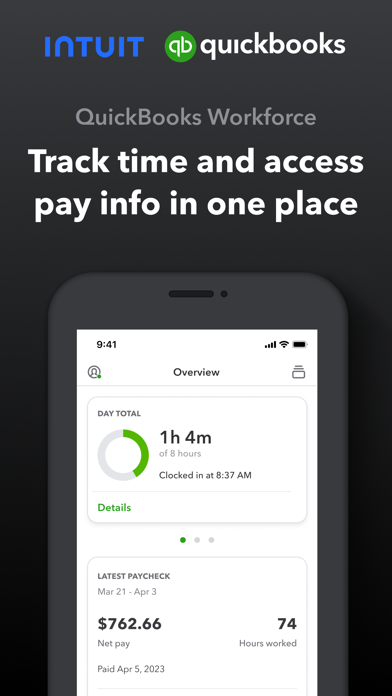
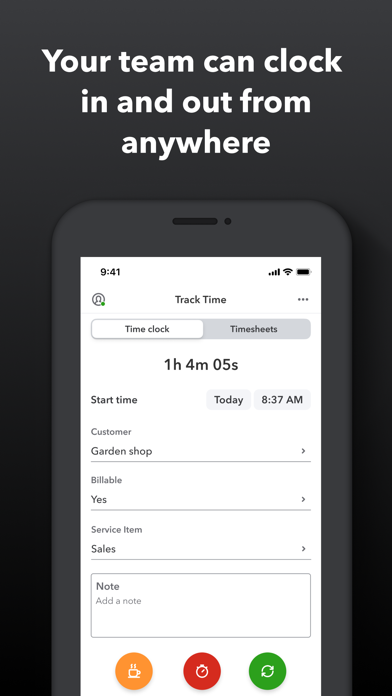
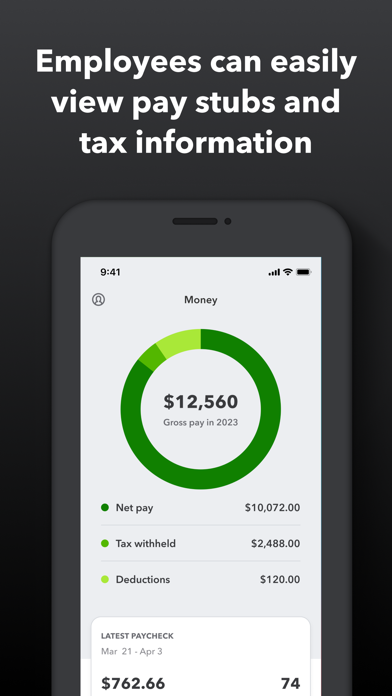
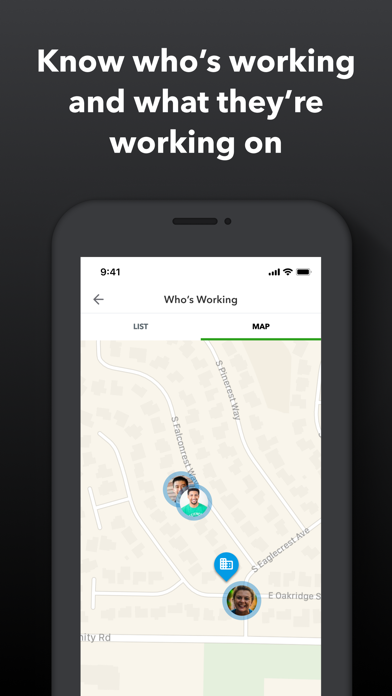
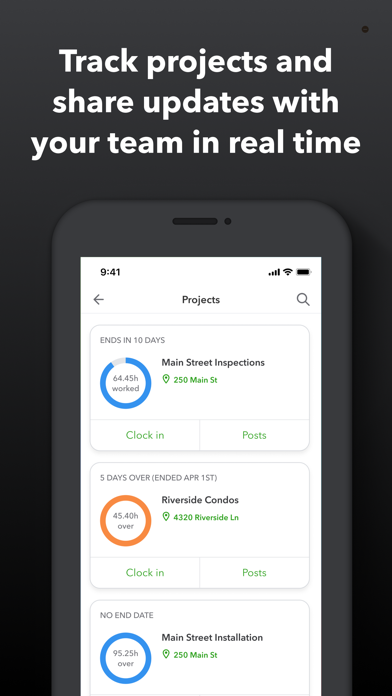
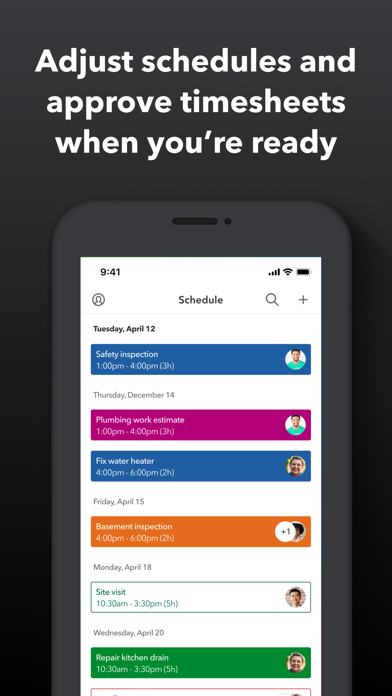
QuickBooks Workforce—an app for QuickBooks Payroll and QuickBooks Time (formerly TSheets)—lets teams view pay info and track time in one place. Pay features are available to businesses that use QuickBooks Online Payroll & QuickBooks Desktop Payroll. Time tracking features are available to businesses that use QuickBooks Time. What your team can do: • Access pay stubs, W-2s, and other pay info anytime, anywhere • Clock in and out, even without Wi-Fi or service • Submit and track paid time off, sick days, and holidays • Edit timesheets and manage job schedules • Switch jobs, pause tracking, or take a break • Use GPS location-based time tracking • Add photos and updates in a project activity feed (QuickBooks Time Elite only) What an employer or admin can do: • Approve, edit, or delete timesheets • Schedule by job or by shift • See who’s working and where in real time • Set up a geofence that reminds your team to clock in or out when they enter or leave a job site (QuickBooks Time Elite only) • Create or modify schedules • Push, text and email alerts are triggered if employees don’t clock in as scheduled, or approach overtime • Track vacation, sick, or holiday accruals for employees • See day and week totals, plus other time reports, at a glance • Oversee team productivity and project status, and adjust budget, deadlines, and resources as needed (QuickBooks Time Elite only) Extra benefits: • Save on payroll costs and eliminate manual data entry • Get real-time reports in multiple formats (PDF, CSV, online, HTML) • Data seamlessly integrates with QuickBooks Online & QuickBooks for PC (Pro, Premier, & Enterprise) • Integrates with other payroll, accounting, and invoicing software • Protect yourself against labor disputes and audits with a detailed time log • Accurate time data replaces paper timesheets and makes payroll and invoicing faster and less costly. • Developer open API Terms, conditions, pricing, special features, and service and support options subject to change without notice.

See this store page in another country

Prices, ranks and reviews are per country. Revenue above is already worldwide.