★★★★★Oct 20, 2026
편리하고 좋네요어디서나 작성하고 열어볼수 있고 테스트를 저장했다가 다른 문서에 붙여넣기도 좋고 만족합니다.

Estimated from the grossing charts of Oct 21, 2026 in the 53 countries we track, and ratings growth on the App Store.
From our daily snapshots of every grossing chart.
| Sep 24, 2026 | not in a grossing chart |
| Sep 25, 2026 | not in a grossing chart |
| Sep 26, 2026 | not in a grossing chart |
| Sep 27, 2026 | not in a grossing chart |
| Sep 28, 2026 | not in a grossing chart |
| Sep 29, 2026 | not in a grossing chart |
| Sep 30, 2026 | not in a grossing chart |
| Oct 1, 2026 | not in a grossing chart |
| Oct 2, 2026 | not in a grossing chart |
| Oct 3, 2026 | not in a grossing chart |
| Oct 4, 2026 | not in a grossing chart |
| Oct 5, 2026 | not in a grossing chart |
| Oct 6, 2026 | not in a grossing chart |
| Oct 7, 2026 | not in a grossing chart |
| Oct 8, 2026 | not in a grossing chart |
| Oct 9, 2026 | not in a grossing chart |
| Oct 10, 2026 | not in a grossing chart |
| Oct 11, 2026 | not in a grossing chart |
| Oct 12, 2026 | not in a grossing chart |
| Oct 13, 2026 | not in a grossing chart |
| Oct 14, 2026 | not in a grossing chart |
| Oct 15, 2026 | not in a grossing chart |
| Oct 16, 2026 | not in a grossing chart |
| Oct 17, 2026 | not in a grossing chart |
| Oct 18, 2026 | not in a grossing chart |
| Oct 19, 2026 | not in a grossing chart |
| Oct 20, 2026 | not in a grossing chart |
| Oct 21, 2026 | not in a grossing chart |
Measured from the store, not estimated.
Latest reviews, South Korea App Store.
어디서나 작성하고 열어볼수 있고 테스트를 저장했다가 다른 문서에 붙여넣기도 좋고 만족합니다.
한국어로 쓸 때 문장 중간에 공백(띄어쓰기)이 두 칸이 있고 그 중간에 커서를 높고 단어를 추가로 입력할 때 칸 왼쪽에 있는 공백은 그대로 있는데 칸 오른쪽에 있는 공백이 사라지며 쓰는 중인 단어와 붙어버립니다. 입력한 공백이 유지되게 수정해주세요.
내생의 삶까지
컴퓨터 독스에서는 글 드래그에서 ai에게 바로 물어보면 표로도 바꿔주고 하는데 그것도 안되고 지금 제가 다 복붙해서 글 넣어서 표로 바꿔달라고 해도 문제가 발생했다고 하고 뭐하는건가요
몇년 전에도 이래서 힘들었던 기억이 있는데, 몇년만이 다시 써보려고 깔았더니 아직도 안 고쳐졌네요~ 글을 적으면 스페이스바를 눌러 띄어쓰기를 해도 공백이 전부 사라져버려요~ 참다참다 5년넘게 참았는데 안 고쳐져서 글적어요~
I've never seen such a piece of garbage for an app before. When auto-correct or selection boxes are enabled, trying to create a line break causes the text to revert to its previous state. Pressing backspace doesn't delete the text—instead, it re-enters the previous text, forcing me to repeatedly delete the same thing over and over. There is a “Smart” something-or-other feature that can be disabled on the PC version, but there is no way to turn it off on mobile. This creates countless restrictions and interruptions when trying to use selection boxes or enable ordering options. I downloaded this app because I wanted compatibility and synchronization between my computer and other devices. However, I can't make any progress because I constantly have to delete selections, delete text, and undo the app's arbitrary changes and movements. I think I simply expected too much from an app made by Google.


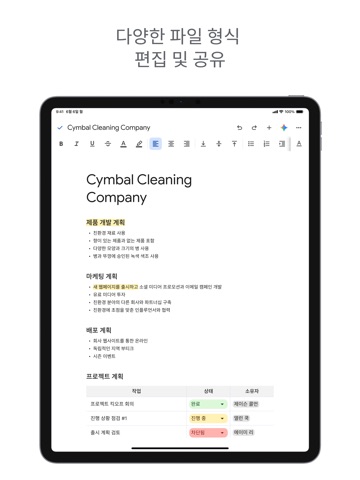
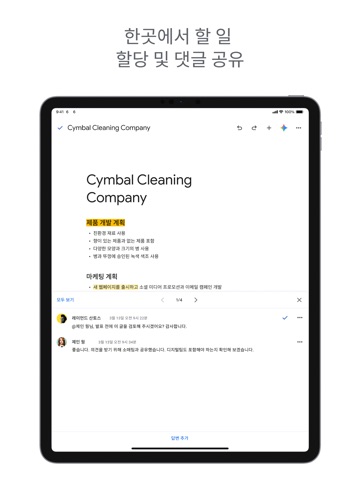

Apple Search Ads this app ran in the last 90 days, from Apple's public ad repository.
Where this app is buying and earning its users. Each link opens pre filtered.
Most repeated terms in the listing. Highlighted ones also appear in the title.
Released Apr 30, 2014. Current version shipped Oct 19, 2026.
Prices, ranks and reviews are per country. Revenue above is already worldwide.


