← Back to charts
Kino - Pro Video Camera icon
APP STORE

Kino - Pro Video Camera

Lux Optics Incorporated · Photo & Video · United States store
NOT IN TOP 100 HERE
View on App Store ↗
Revenue a month, worldwide EST
$13.5K
Likely $4.5K to $40.5K
New ratings
+10
in 9 days, 4.6K in total
Rating
4.7 of 5
2K ratings in this store
Countries it ranks in
0
was 0 on Oct 15, 2026

Revenue

Estimated from the grossing charts of Oct 21, 2026 in the 53 countries we track, and ratings growth on the App Store.

EST. REVENUE / MONTH · WORLDWIDE · FROM RATINGS GROWTH
$13.5K
Range $4.5K to $40.5K
EST. REVENUE / YEAR · WORLDWIDE
$162.1K
160 new ratings a month on average since launch
EST. LIFETIME DOWNLOADS
69.4K to 198.4K
Estimated from ratings count
WHERE ITS USERS ARE · SHARE OF RATINGS
  • United States 2K ratings85%
  • Canada 212 ratings9%
  • South Korea 130 ratings6%
HOW SURE ARE WE
Not in any grossing chart, so this comes from ratings growth (160 new ratings a month on average since launch): about $100 a month per new rating a month. Tested on 418 apps with verified revenue: typically off by about 2 times, and big earners tend to come out low. Countries we don't track (and Google Play in China, which doesn't exist) aren't included, and neither are ads or web payments. Gross revenue before store fees.
RATINGS
2K
AVG RATING
4.73
PRICE
$9.99
AGE
2.4y
LAST UPDATE
134d ago
VERSION
1.4.3
SIZE
48 MB
AGE RATING
4+

Last 29 days

From our daily snapshots of every grossing chart and daily ratings counts.

DAYS IN A GROSSING CHART
0 / 29
COUNTRIES NOW
0 (was 0)
NEW RATINGS, LAST 7 DAYS
+8
EST. REVENUE FROM CHARTS, DAILY · APP STORE ONLY EST
Show daily values
Sep 24, 2026not in a grossing chart
Sep 25, 2026not in a grossing chart
Sep 26, 2026not in a grossing chart
Sep 27, 2026not in a grossing chart
Sep 28, 2026not in a grossing chart
Sep 29, 2026not in a grossing chart
Sep 30, 2026not in a grossing chart
Oct 1, 2026not in a grossing chart
Oct 2, 2026not in a grossing chart
Oct 3, 2026not in a grossing chart
Oct 4, 2026not in a grossing chart
Oct 5, 2026not in a grossing chart
Oct 6, 2026not in a grossing chart
Oct 7, 2026not in a grossing chart
Oct 8, 2026not in a grossing chart
Oct 9, 2026not in a grossing chart
Oct 10, 2026not in a grossing chart
Oct 11, 2026not in a grossing chart
Oct 12, 2026not in a grossing chart
Oct 13, 2026not in a grossing chart
Oct 14, 2026not in a grossing chart
Oct 15, 2026not in a grossing chart
Oct 16, 2026not in a grossing chart
Oct 17, 2026not in a grossing chart
Oct 18, 2026not in a grossing chart
Oct 19, 2026not in a grossing chart
Oct 20, 2026not in a grossing chart
Oct 21, 2026not in a grossing chart
Oct 22, 2026not in a grossing chart
Best rank Sep 24, 2026: not ranked. Now: not ranked. Days at zero are days outside every grossing chart.
RATINGS IN THE CORE COUNTRIES, DAILY
Show daily values
Oct 12, 20264.6K ratings
Oct 13, 20264.6K ratings
Oct 14, 20264.6K ratings
Oct 15, 20264.6K ratings
Oct 16, 20264.6K ratings
Oct 17, 20264.6K ratings
Oct 18, 20264.6K ratings
Oct 19, 20264.6K ratings
Oct 20, 20264.6K ratings
Oct 21, 20264.6K ratings
4.6K on Oct 12, 2026, 4.6K on Oct 21, 2026. New ratings track new downloads, even outside the charts.

Money and momentum

Measured from the store, not estimated.

WHAT IT CHARGES
No in-app purchases
Earns from its upfront price, ads or payments outside the store.
REVIEW MOMENTUM
0.8 reviews / week
  • Trendfalling
  • Recent reviews average3.1 stars
  • Recent 1 and 2 star share39%
From the latest 100 written reviews, covering 848 days. The store only returns this many, so this is the most recent slice.
RELEASE CADENCE
0 updates in 90 days
  • Typical gap between releases27 days
From the last 22 versions listed on the App Store.
RATING BREAKDOWN
2K ratings
5★89%
4★4%
3★2%
2★1%
1★4%

What users say

Latest reviews, United States App Store.

★★★★★Sep 27, 2026
An app so good, it made me love the iPhone 17 Pro Max more

This is what makes LUTs easy to use

★★★★★Sep 11, 2026
Pause

Please include pause button on the next update.

★★★★★Aug 29, 2026
Excellent but not perfect

If I could give the app 4.5 stars I would. It’s such a phenomenal app and is really nearly perfect. The only misgivings are the onboarding / app tutorial / app navigation. There were many times I was confused on what a mode did or how to navigate the app. Lastly, I would love for there to be more native app LUT options. Still. This app is basically perfect.

★★★★★Aug 21, 2026
Near perfect results

I just love everything about how you interact with the app and the finished video product. A+! A few gripes would be I would like to touch to either refocus or re-expose while recording. Just copy what filmic pro did double tap the icon to separate exposure and focus and then drag the redical to where you want to expose and/or focus and then tap each icon individually to lock it or unlock it. FilmicPro has been around since like 2010 I think? I’m surprised nobody has copied that. I also don’t like how you can’t switch between lenses while recording. It would also be cool if it’s supported third-party lenses like Moment and Reeflex and maybe had an automatic anamorphic dee-squeeze Love this app. All the presets look amazing and it’s just a delight to use.

★★★★★Aug 13, 2026
Audio Video Decoupling

On multiple occasions this app has decoupled the audio and video, but tonight was the last straw for me. I just finished recording a 30 minute footage. For some reasons after recording the video, the audio is muted for almost 3 whole minutes while the video has already progressed quite ahead, and then the audio trails behind by 3 whole minutes. This happened with both my 30 min footages. I don’t even understand how this is happening. I’ve been using this app for a while but just lost some important footage tonight and will never be using the app. Wow.

★★★★★Jul 23, 2026
Nice app, one bug

All around this is a quality app. There’s a bug when you open the app in landscape mode that the camera zoom controls don’t appear. My fix is to open the app in vertical mode then rotate my phone, but my mount doesn’t rotate like that so it’s a slight pain.
Store screenshots

ScreenshotScreenshotScreenshotScreenshotScreenshotScreenshot

App Store ads

Apple Search Ads this app ran in the last 90 days, from Apple's public ad repository.

Apple's ad repository couldn't be reached right now. Try again later.

Growth research

Where this app is buying and earning its users. Each link opens pre filtered.

ASO keywords

Most repeated terms in the listing. Highlighted ones also appear in the title.

kino17video8pro6color5instant grade5great4cinematic4shoot4powerful4grade4feature4level4simple4great video3color presets3shoot great3full manual3manual mode3focus peaking3skill level3simple interface3pro tools3shutter speed3cinematic motion3

What's new in 1.4.3

Now that Halide Mark III is out, we're going to spend a bit of time digging into how we can make Kino even better. We're starting with a small update that fixes an issue with the VU Meters caused by an iOS update. - Team Kino

Released May 29, 2024. Current version shipped Jun 10, 2026.

Store description

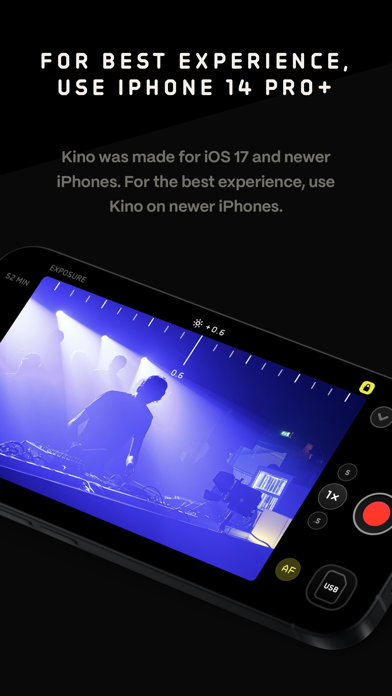
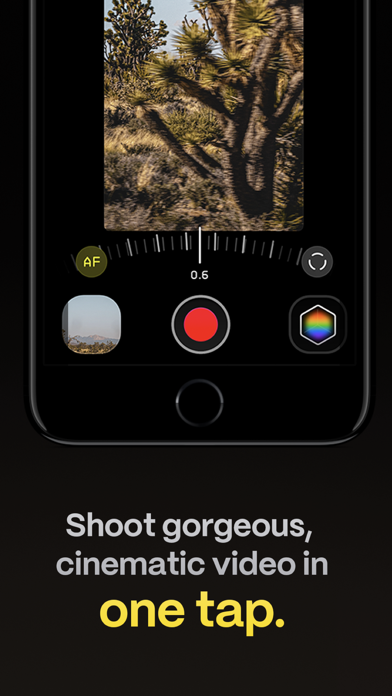
Make great video easy! Kino lets you just press record and create cinematic video with color presets created by expert filmmakers—no edit required. Plus, with “AutoMotion,” the app automatically creates that smooth "film look" you see at the movies. Shoot great video with no film school required. Are you an experienced filmmaker? Kino includes all the features you need to shoot like a Pro, such as a full manual mode, focus peaking, color waveform, audio meters, and more. If you’re experienced in color, you can import LUTs quickly and use the same powerful Instant Grade feature to output video with baked in LUTs. Regardless of your skill level, Kino adapts to your needs. Pick your experience level when setting up the app to dial things in your way or go with recommended, simple settings. The beautiful, simple interface shows only essential things, while keeping powerful features under thumb’s reach. INSTANT GRADE Kino comes packed with pro color presets by experts like Stu Maschwitz, Sandwich Video, Evan Schneider, Tyler Stalman and Kevin Ong. With one tap, you can shoot video with cinematic, film-like color by selecting a Grade preset. With Instant Grade, you don’t have to apply it later or do any editing steps: Kino just saves the processed video for you, ready to share. LEARN ALONG Getting started with video? The Kino team has a free series of lessons prepared you can dive into right away to learn filmmaking with the app. Start out with our simple recommended settings and enroll in a lesson plan to get lessons emailed to you that are easy to follow and let you unlock every feature of the app to use for making better videos. PRO TOOLS Kino’s simple interface does not mean it lacks in powerful pro tools. Start out with automatic exposure with EV adjustment and AE and WB lock, or drop into full manual mode with shutter speed, angle and ISO adjustment. Compose a shot with the grid with built in level, check exposure with the RGB waveform, and pull focus with focus peaking. Kino can store your recordings in Files instead of Photos for better and easy shot management, and even features a screen lock to prevent inadvertent taps messing up your shot. Set custom recording settings (like 4K 60FPS Apple Log ProRes422HQ on iPhone 15 Pro) or get started with presets for flexibiltiy. BEAUTIFUL INTERFACE Thoughtful touches are abound in Kino: from a screen-wide telltale ring to show you are recording, to beautiful custom typography throughout with our own bespoke fonts, Kino balances beauty and simplicity with flexibility and control for users of any skill level. AUTOMOTION Get cinematic motion like in feature films. Introducing: AutoMotion. Kino biases exposure towards a 180° shutter speed by default. If you land in this sweet spot, and available light supports it, the ‘Auto’ label turns green — showing you are in the sweet spot for great cinematic motion. Bright day out? Pop an ND filter on your iPhone and don’t worry about adjusting manual settings: Kino will take care of prioritizing shutter angle so you can just shoot and get great results. LUT FRIENDLY One of the powerful aspects of Kino is being able to download new looks from your favorite creators or your own making. Author .cube LUT files in Pixelmator Pro, Davinci Resolve, or other apps (up to 33x33) and open them in Kino with a tap. TRULY PRIVATE None of our apps gather or collect data, or analyze your videos and photos. We believe the most important thing a camera can be is private. CREATOR SPECIAL Are you a creator or filmmaker and want to get started with or love using Kino? Get in touch with us to get our ‘Creator Kit’: see the Kino website for more details. When sharing your work, tag it #shotwithkino so we can feature it online. Thanks for making it this far! Kino is made by friends — Ben Sandofsky and Sebastiaan de With, with the help of Katie-Rose Summerfield and Doug Broussard. We made this app with love and care and we hope you love it.

See this store page in another country

Prices, ranks and reviews are per country. Revenue above is already worldwide.

More from Lux Optics Incorporated

Halide Mark III - Pro Camera
Photo & Video
13.6K ratingsAnalyze →
HDMI Monitor - Orion
Utilities
3.1K ratingsAnalyze →
Spectre Camera
Photo & Video
2.4K ratingsAnalyze →