ASO keywords
Most repeated terms in the listing. Highlighted ones also appear in the title.
flight10training5real5real time5correction angles5practice4simulator4fly4holding4radial intercepts3intercepts dme3dme arcs3flight simulator3time flight3worldwide navigation3navigation data3glass cockpit3classic gauges3wind correction3instrument rating3intercepts3dme3calculate3live3
What's new in 1.29.10
This update improves stability and fixes minor issues across the app.
Questions or feedback? Reach us at support@ifrsimulator.com.
Released Nov 26, 2022. Current version shipped Oct 13, 2026.
Store description
Practice holdings, radial intercepts, and DME arcs on your phone before your next simulator session. Calculate the procedure, fly it with live instruments, and review your track in the debrief.
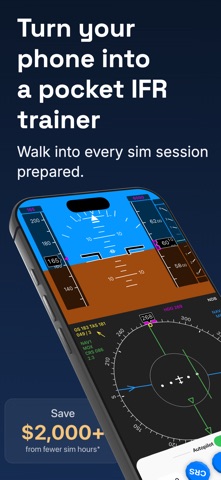
IFR Flight Simulator combines focused IFR procedure training with real-time flight simulation, worldwide navigation data, and a choice of glass cockpit or classic gauges.
What you can practice:
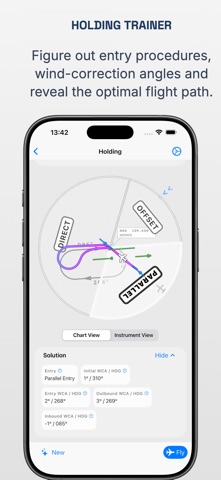
• Holding Trainer: Randomized holding situations. Determine the entry, calculate the wind correction angles, then fly the pattern.
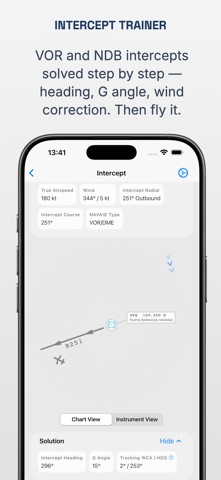
• Intercept Trainer: Inbound and outbound radial intercepts as well as QDM/QDR intercepts.
• DME Arc Trainer: Fly DME arcs and calculate the angle of lead to turn onto the inbound course at the right moment.
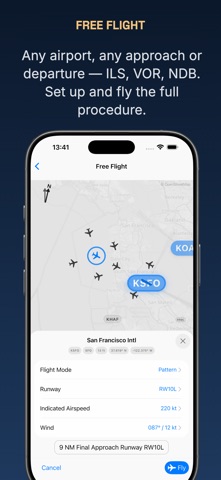
• Approaches: Set up a final intercept, a position in the pattern (downwind, base, or final), or a full approach at any airport, including ILS.
• IFR mental math: Practice entries, wind correction angles, and lead points until the calculations become automatic.
Worldwide navigation database:
• Navigation data from a recent AIRAC cycle, with worldwide coverage: 13,000+ airports and 10,000+ VORs, NDBs, and other navaids.
• Train with real airports and navaids instead of generic exercise locations.
Real-time flight simulator:
• Modern glass cockpit (PFD and ND) or classic gauges.
• Autopilot with rotary controls for heading, altitude, and speed, or fly manually by tilting your device.
• Fast-forward mode to repeat procedures efficiently.
• Live Map: your position and flight path in real time.
• Live Needle Overlay: watch where the HSI and CDI needles actually point as they move with the aircraft symbol across the map.
• Optimal Holding Entry Path Overlay: compare your flown track with the wind-corrected entry and holding pattern.
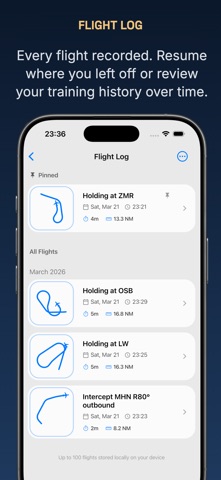
• Flight Log with Debrief: every flight is recorded. Replay the track and the needle movement, or resume the flight later.
Built for instrument rating training, proficiency practice, and simulator assessments.
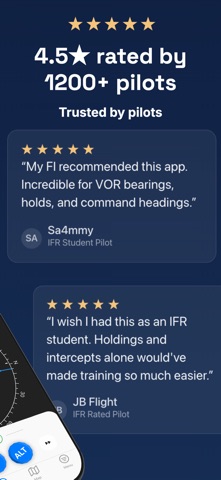
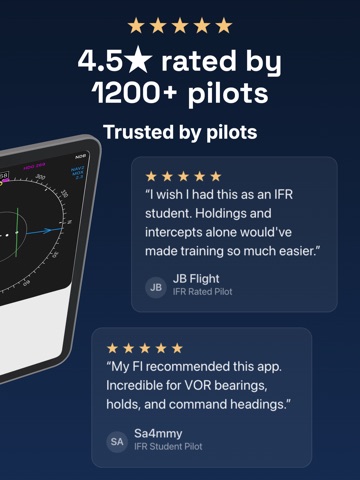
"I am currently training for my Instrument Rating, and my FI recommended this app to me. I didn't think such a high quality, useful training tool was possible as an app. Incredible for VOR bearings, practicing holds and command headings."
App Store review by Sa4mmy
Questions or feedback? Reach us at support@ifrsimulator.com.
Disclaimer:
This application is for training and educational purposes only.
It must not be used for real-world flight planning or in-flight decision-making.
While the developer strives to provide information and calculations that are as accurate and up-to-date as reasonably possible, they may still be incomplete or inaccurate, and other accepted methods exist for deriving procedures and correction angles.
Always verify data against official aeronautical publications and follow the guidance of a certified flight instructor.
The developer accepts no responsibility or liability for any errors, omissions, or outcomes arising from use of this software.
Terms of Use: https://www.apple.com/legal/internet-services/itunes/dev/stdeula/
See this store page in another country
Prices, ranks and reviews are per country. Revenue above is already worldwide.