← Back to charts
Speed Tracker: GPS Speedometer icon
APP STORE

Speed Tracker: GPS Speedometer

Oxagile LLC · Navigation · United States store
NOT IN TOP 100 HERE
View on App Store ↗ Google Play version →
Revenue a month, worldwide EST
$9.4K
Likely $3.1K to $28.1K
▲ 74.0% in 27 days
New ratings
Tracking
Daily counts start building from today
Rating
4.6 of 5
6.2K ratings in this store
Countries it ranks in
11
was 12 on Oct 14, 2026

Revenue

Estimated from the grossing charts of Oct 21, 2026 in the 53 countries we track, and ratings growth on the App Store.

EST. REVENUE / MONTH · WORLDWIDE · APP STORE
$9.4K
Range $3.1K to $28.1K
EST. REVENUE / YEAR · WORLDWIDE
$112.5K
Not ranked on Google Play in tracked countries
EST. LIFETIME DOWNLOADS
218.4K to 624.1K
Estimated from ratings count
WHERE IT EARNS · EST. / MONTH
  • Spain #54 Navigation$7.3K · 78%
  • Norway #79 Navigation$1.6K · 17%
  • Austria #100 Navigation$529 · 6%
HOW SURE ARE WE
Small app: combines its grossing ranks with ratings growth (109 new ratings a month on average since launch). Tested on 418 apps with verified revenue: typically off by about 2.4 times, so the range is wide. Countries we don't track (and Google Play in China, which doesn't exist) aren't included, and neither are ads or web payments. Gross revenue before store fees.
RATINGS
6.2K
AVG RATING
4.56
PRICE
Free
AGE
13.0y
LAST UPDATE
4d ago
VERSION
6.9.8
SIZE
105 MB
AGE RATING
17+

Last 28 days

From our daily snapshots of every grossing chart.

DAYS IN A GROSSING CHART
28 / 28
COUNTRIES NOW
11 (was 4)
EST. REVENUE A MONTH, DAILY · BOTH STORES EST
Show daily values
Sep 24, 2026$8.9K a month
Sep 25, 2026$8.4K a month
Sep 26, 2026not in a grossing chart
Sep 27, 2026not in a grossing chart
Sep 28, 2026not in a grossing chart
Sep 29, 2026not in a grossing chart
Sep 30, 2026not in a grossing chart
Oct 1, 2026$20K a month
Oct 2, 2026not in a grossing chart
Oct 3, 2026not in a grossing chart
Oct 4, 2026not in a grossing chart
Oct 5, 2026not in a grossing chart
Oct 6, 2026not in a grossing chart
Oct 7, 2026not in a grossing chart
Oct 8, 2026not in a grossing chart
Oct 9, 2026not in a grossing chart
Oct 10, 2026$117.7K a month
Oct 11, 2026$7.6K a month
Oct 12, 2026$4.9K a month
Oct 13, 2026$4.6K a month
Oct 14, 2026$1K a month
Oct 15, 2026$869 a month
Oct 16, 2026not in a grossing chart
Oct 17, 2026$1.9K a month
Oct 18, 2026$14K a month
Oct 19, 2026$2.7K a month
Oct 20, 2026$4.9K a month
Oct 21, 2026$15.6K a month
The same estimate as the headline, saved every day. Best rank Sep 24, 2026: #24 Navigation · PK. Now: #54 Navigation · ES.

Money and momentum

Measured from the store, not estimated.

WHAT IT CHARGES
3 purchases listed
  • Speed Tracker Pro.$2.99
  • Full Upgrade+$29.99
  • Speed Tracker Pro. Yearly$17.99
Top in-app purchases as listed on the App Store, in local prices.
REVIEW MOMENTUM
0.5 reviews / week
  • Trendfalling
  • Recent reviews average3.6 stars
  • Recent 1 and 2 star share31%
From the latest 321 written reviews, covering 4685 days.
RELEASE CADENCE
1 update in 90 days
  • Typical gap between releases30 days
From the last 25 versions listed on the App Store.
RATING BREAKDOWN
6.2K ratings
5★78%
4★11%
3★4%
2★2%
1★5%

What users say

Latest reviews, United States App Store.

★★★★★Sep 19, 2026
Simple yet powerful app

This Speed Tracker is great for when I go on long trips and want to record my trips. The pa e color indicators show where you stopped.

★★★★★Sep 3, 2026
This blows

Doesn’t work.

★★★★★Aug 30, 2026
Better than most, but could be improved

Runs better than cheaper ones. Nice graphing and mapping. Two needs to be done are add options for speedometer color and brightness.

★★★★★Aug 23, 2026
Annoying

Keeps asking for a review over and over even after paying

★★★★★Jul 20, 2026
Works overall good

Just wish I could get a free 1 week trial to see if I like to upgrade but rate 4/5 stars GREAT APP DEF RECOMMEND

★★★★★Jul 16, 2026
Garbage

Not worth the download

Apps like this

Same category, earning about as much.

Store screenshots

ScreenshotScreenshotScreenshotScreenshotScreenshotScreenshotScreenshotScreenshotScreenshotScreenshot

App Store ads

Apple Search Ads this app ran in the last 90 days, from Apple's public ad repository.

Apple's ad repository couldn't be reached right now. Try again later.

Growth research

Where this app is buying and earning its users. Each link opens pre filtered.

ASO keywords

Most repeated terms in the listing. Highlighted ones also appear in the title.

speed17trip16speed tracker11tracker8trip log6trips6application5time5map5trip computer5gps4mode4log4tracker help3trip statistics3application enable3average speed3maximum speed3speed distance3trips trip3trip saved3important trip3landscape mode3scalable speedometer3

What's new in 6.9.8

Minor bug fixes and performance improvements.

Released Nov 8, 2013. Current version shipped Oct 17, 2026.

Store description

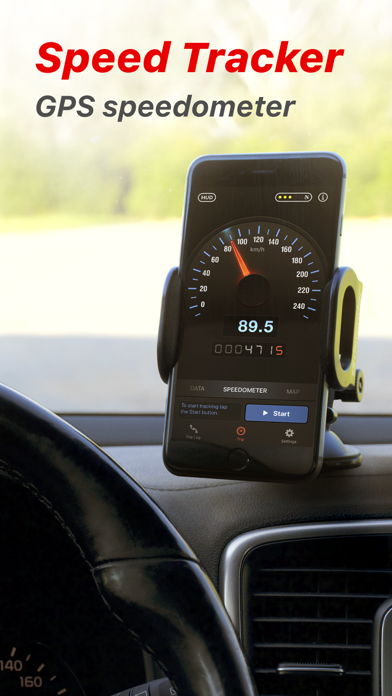
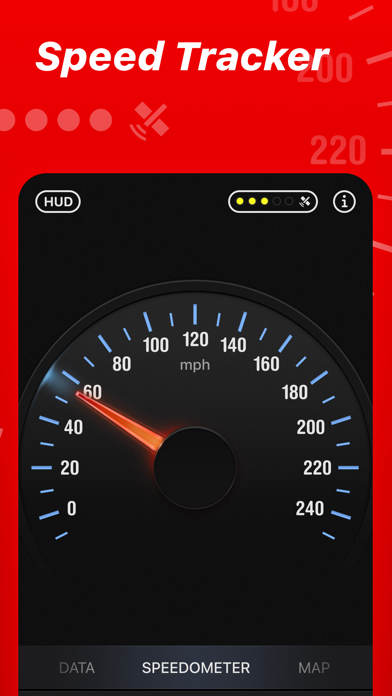
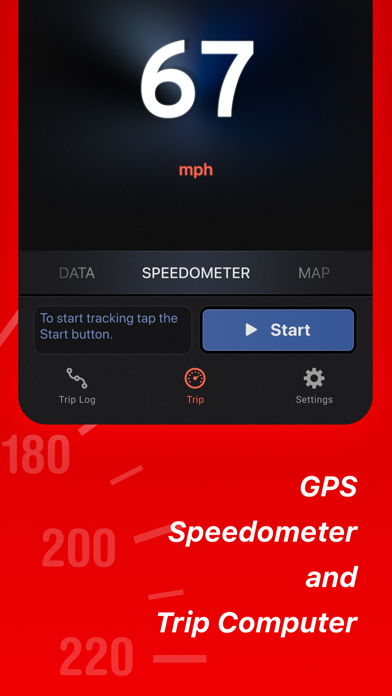
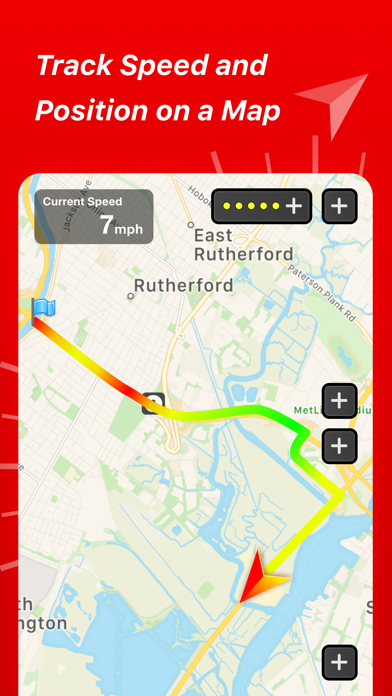
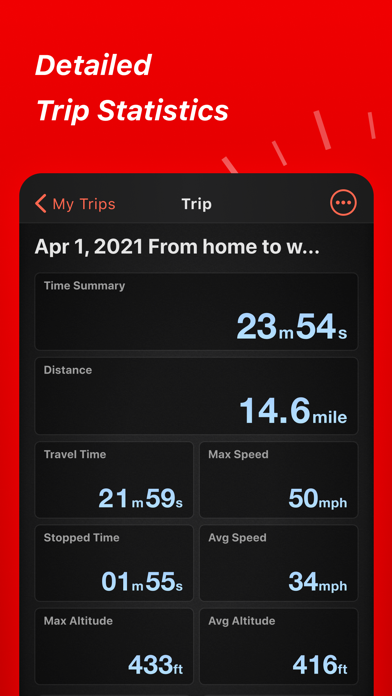
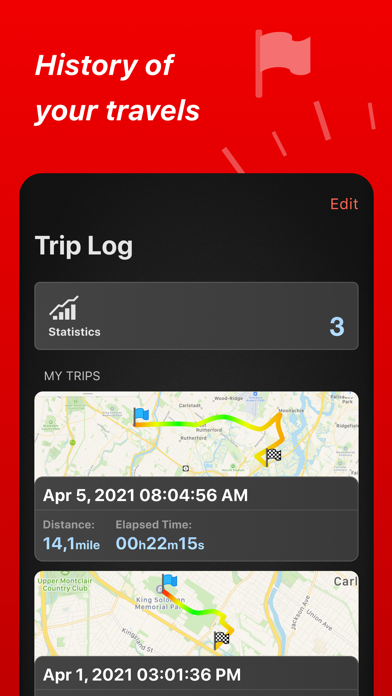
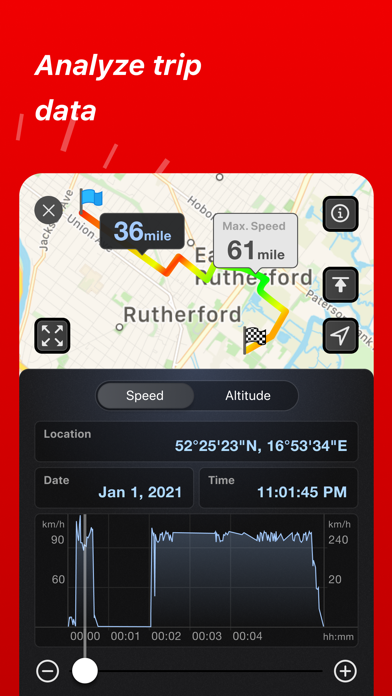
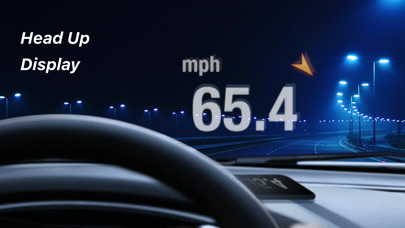
Speed Tracker is the most elegant and unique combination of GPS speedometer and Trip computer in just one application. With lot of features built-in, Speed Tracker will help you to gather all the necessary trip statistics. Just start the application and it will let you record your speed, time, distance, heading, elevation and many more. HUD Head-up display – outstanding feature available in Speed Tracker application. Just enable HUD and put your iPhone or iPad under the windshield. Specially designed HUD interface will display the most accurate speed right on the windshield. Map your trip. Built-in GPS tracker will help you not to get lost. You can always switch to navigation mode and check your current position on the map together with the track you’ve already traveled in Satellite or Hybrid view. Trip Log Trip Log records and saves the information within the application. You can easily have the access to ALL the trips with just one click. Inside the Trip Log you can check the trip on the map, see the speed, average speed, maximum speed, distance, total time and the detailed speed graph. Don't want to get lost in all the trips you have? Just name them the way you like. Want to share your driving experience or just compare your every day trips? With Trip Computer it’s easy as A, B, C. Export all the trips in available formats (CSV, KML, GPX) or even share with your friends on Facebook, Twitter or via email. With free version of Speed Tracker only one trip can be saved to the trip log. Subscribers for PRO plan can save unlimited trips. Trip Computer Track important trip statistics in real time. Average and Maximum speed, distance covered, moving and stopped time. Dashboard Display Layout Designed exclusively for iPad big screen it shows all the important trip information at a glance on a single screen and supports both portrait and landscape orientation. Full screen GPS Navigator Map mode is also available. Landscape mode allows you to mount your device horizontally on your car dashboard. If you prefer seeing things at wider angle then you find new landscape mode especially useful and practical. Scalable Speedometer Dial Speed Tracker features unique scalable speedometer dial. Select the maximum possible speed for you vehicle and watch your speed with greater precision either your are on a plain, train, car, bike, boat or bicycle Statistics All the aggregated data from the very first trip will be saved in one single place. Automatic Stop Detection Automatically identify either you are moving or standing and calculate your average speed basing on that. Generate trip report showing travel and stoppage time separately. Support for Apple Watch. Start and stop tracking and see your trip data on your wrist. SUBSCRIPTION INFORMATION Speed Tracker offers a subscription plan that lets you record unlimited number of trips and turn off in-app advertisements • Payment will be charged to iTunes Account at confirmation of purchase • Subscription automatically renews unless auto-renew is turned off at least 24-hours before the end of the current period • Account will be charged for renewal within 24-hours prior to the end of the current period, and identify the cost of the renewal • Subscriptions may be managed by the user and auto-renewal may be turned off by going to the user's Account Settings after purchase • Any unused portion of a free trial period, if offered, will be forfeited when the user purchases a subscription to that publication, where applicable NOTE: Speed Tracker is not compatible with WiFi only iPad or iPod touch. Continued use of GPS running in the background can decrease battery life. Data connection is required to see map. Make sure that you have location services enabled for the application. To enable - Settings> General> Location Services Privacy Policy: http://appannex.com/privacy-policy/ Terms of Use: https://www.apple.com/legal/internet-services/itunes/dev/stdeula/

See this store page in another country

Prices, ranks and reviews are per country. Revenue above is already worldwide.

More from Oxagile LLC

Bike Ride Tracker: Bicycle GPS
Health & Fitness
12.1K ratingsAnalyze →
Speed Tracker. Pro
Navigation
1.4K ratingsAnalyze →
Flashlight 4 in 1
Utilities
419 ratingsAnalyze →
Car Camera DVR. PRO
Navigation
283 ratingsAnalyze →
Car Camera DVR. HD dash cam
Navigation
107 ratingsAnalyze →
Bicycle ride tracker PRO
Health & Fitness
165 ratingsAnalyze →