← Back to charts
ibis Paint X icon
APP STORE

ibis Paint X

ibis inc. · Graphics & Design · India store
NOT IN TOP 100 HERE
View on App Store ↗ Google Play version →
Revenue a month, worldwide EST
$325.6K
Likely $108.5K to $976.8K
▲ 10.9% in 27 days
New ratings
Tracking
Daily counts start building from today
Rating
4.7 of 5
3.3K ratings in this store
Countries it ranks in
42
was 39 on Oct 14, 2026

Revenue

Estimated from the grossing charts of Oct 21, 2026 in the 53 countries we track, and ratings growth on the App Store.

EST. REVENUE / MONTH · WORLDWIDE · BOTH STORES
$325.6K
Range $108.5K to $976.8K
EST. REVENUE / YEAR · WORLDWIDE
$3.9M
Both stores combined. Small app estimate, so no split per store
EST. LIFETIME DOWNLOADS
116.5K to 333K
Estimated from ratings count
WHERE IT EARNS · EST. / MONTH
  • South Korea #15 Art & Design (Play)$82.7K · 25%
  • United States #42 Art & Design (Play)$60.6K · 19%
  • Japan #21 Art & Design (Play)$53.8K · 17%
  • Brazil #27 Art & Design (Play)$31.5K · 10%
  • Mexico #25 Art & Design (Play)$24.4K · 7%
  • United Kingdom #32 Art & Design (Play)$12K · 4%
  • India #40 Art & Design (Play)$9.4K · 3%
  • Indonesia #43 Art & Design (Play)$5.9K · 2%
37 more countries
  • Philippines #44 Art & Design (Play)$4.8K · 1%
  • Argentina #43 Art & Design (Play)$4K · 1%
  • Turkey #43 Art & Design (Play)$2.9K · 1%
  • Thailand #44 Art & Design (Play)$2.6K · 1%
  • Saudi Arabia #43 Art & Design (Play)$2.3K · 1%
  • Chile #43 Art & Design (Play)$1.8K · 1%
  • Poland #43 Art & Design (Play)$1.8K · 1%
  • Malaysia #44 Art & Design (Play)$1.7K · 1%
  • UAE #43 Art & Design (Play)$1.7K · 1%
  • Netherlands #43 Art & Design (Play)$1.6K · 0%
  • Colombia #43 Art & Design (Play)$1.5K · 0%
  • Vietnam #44 Art & Design (Play)$1.3K · 0%
  • Israel #43 Art & Design (Play)$1.3K · 0%
  • South Africa #43 Art & Design (Play)$1.2K · 0%
  • Ukraine #53 Graphics & Design (iOS), #41 Art & Design (Play)$1.1K · 0%
  • Hong Kong #41 Art & Design (Play)$958 · 0%
  • Portugal #43 Art & Design (Play)$923 · 0%
  • Singapore #43 Art & Design (Play)$922 · 0%
  • Pakistan #53 Graphics & Design (iOS), #42 Art & Design (Play)$869 · 0%
  • Switzerland #43 Art & Design (Play)$865 · 0%
  • New Zealand #43 Art & Design (Play)$795 · 0%
  • Kazakhstan #44 Graphics & Design (iOS), #43 Art & Design (Play)$782 · 0%
  • Egypt #42 Art & Design (Play)$705 · 0%
  • Peru #42 Art & Design (Play)$700 · 0%
  • Austria #43 Art & Design (Play)$675 · 0%
  • Belgium #43 Art & Design (Play)$636 · 0%
  • Romania #43 Art & Design (Play)$577 · 0%
  • Czechia #43 Art & Design (Play)$559 · 0%
  • Finland #43 Art & Design (Play)$543 · 0%
  • Kuwait #43 Art & Design (Play)$516 · 0%
  • Norway #43 Art & Design (Play)$499 · 0%
  • Ireland #43 Art & Design (Play)$419 · 0%
  • Nigeria #77 Graphics & Design (iOS), #41 Art & Design (Play)$389 · 0%
  • Bangladesh #41 Art & Design (Play)$372 · 0%
  • Greece #43 Art & Design (Play)$364 · 0%
  • Denmark #43 Art & Design (Play)$339 · 0%
  • Qatar #43 Art & Design (Play)$316 · 0%
HOW SURE ARE WE
Small app: combines its grossing ranks with ratings growth (4333 new ratings a month on average since launch). Tested on 418 apps with verified revenue: typically off by about 2.4 times, so the range is wide. Countries we don't track (and Google Play in China, which doesn't exist) aren't included, and neither are ads or web payments. Gross revenue before store fees.
RATINGS
3.3K
AVG RATING
4.67
PRICE
Free
AGE
15.2y
LAST UPDATE
15d ago
VERSION
14.1.3
SIZE
150 MB
AGE RATING
4+

Last 28 days

From our daily snapshots of every grossing chart.

DAYS IN A GROSSING CHART
28 / 28
COUNTRIES NOW
42 (was 17)
EST. REVENUE A MONTH, DAILY · BOTH STORES EST
Show daily values
Sep 24, 2026$849.6K a month
Sep 25, 2026$860.1K a month
Sep 26, 2026$847.1K a month
Sep 27, 2026$820.6K a month
Sep 28, 2026$819.9K a month
Sep 29, 2026$842.8K a month
Sep 30, 2026$802.8K a month
Oct 1, 2026$822K a month
Oct 2, 2026$839.7K a month
Oct 3, 2026$841.6K a month
Oct 4, 2026$747.8K a month
Oct 5, 2026$796.8K a month
Oct 6, 2026$820.7K a month
Oct 7, 2026$814.6K a month
Oct 8, 2026$852.8K a month
Oct 9, 2026$852.5K a month
Oct 10, 2026$1.7M a month
Oct 11, 2026$1M a month
Oct 12, 2026$996.9K a month
Oct 13, 2026$938.5K a month
Oct 14, 2026$991.7K a month
Oct 15, 2026$981.6K a month
Oct 16, 2026$949.1K a month
Oct 17, 2026$976.3K a month
Oct 18, 2026$904.4K a month
Oct 19, 2026$918.7K a month
Oct 20, 2026$937.9K a month
Oct 21, 2026$942.3K a month
The same estimate as the headline, saved every day. Best rank Sep 24, 2026: #3 Graphics & Design · JP. Now: #3 Graphics & Design · JP.

Money and momentum

Measured from the store, not estimated.

WHAT IT CHARGES
8 purchases listed
  • Premium Membership (Monthly plan)₹ 29
  • Premium Membership (Yearly plan)₹ 249
  • Ad Removal Upgrade₹ 29
  • Smart Credit 10,000pt₹ 7,900
  • Smart Credit 5,000pt₹ 4,999
  • Smart Credit 2,500pt₹ 2,499
  • Smart Credit 300pt₹ 299
  • Smart Credit 900pt₹ 999
Top in-app purchases as listed on the App Store, in local prices.
REVIEW MOMENTUM
1.8 reviews / week
  • Trendsteady
  • Recent reviews average4.6 stars
  • Recent 1 and 2 star share4%
From the latest 500 written reviews, covering 1936 days. The store only returns this many, so this is the most recent slice.
RELEASE CADENCE
6 updates in 90 days
  • Typical gap between releases21 days
From the last 25 versions listed on the App Store.
RATING BREAKDOWN
3.3K ratings
5★80%
4★13%
3★3%
2★1%
1★3%

What users say

Latest reviews, India App Store.

★★★★★Oct 20, 2026
Cool stuff and bring new

I like the drawings of others and mine too and thedrawing editing is cool T-T

★★★★★Oct 19, 2026
As a beginner this is actually good

For a beginner, this app is perfect, it gives u many choices for brushes, on the online community, you can download other’s brushes and more, also in the community you can see others artworks and you can post ur own!

★★★★★Oct 18, 2026
PLEASE I BEG YOU MAKE IT A UPDATE PLSSSS

Your all updates are honestly cool but theres one think i need you how brushes or custom brushes are not saved what i mean by that if you have a custom brush in one account and if you open the account in another device the custom brushes wont be there so like can you make pike a link type or a qr code for all the custom brushes to transfer into another device or like share it with people now i know you can just take the qr code and import it one by one but if the custom brushes are too many it would tame time so like pls like create a thing where all your brushes can be exported to a qr code so other people can have same qr codes or to have the same in other devices plss its really helpful because im a animator and my tablet is very old so i couldnt animate in it and it has all my custom brushes so i would like to animate on my moms phone and but i wouldn’t like to impory qr codes one by one as beacuse there are many so please it would help many people 🙏🏻🙏🏻🙏🏻

★★★★★Oct 16, 2026
Loving

This really helped

★★★★★Oct 16, 2026
Please tell

I accidentally deleted my app. Can I still revive my old paintings?

★★★★★Oct 16, 2026
Peak app twin :D

Peak app but I think some basic features can be improved like the blending tool

Apps like this

Same category, earning about as much.

Store screenshots

ScreenshotScreenshotScreenshotScreenshotScreenshotScreenshotScreenshotScreenshotScreenshotScreenshot

App Store ads

Apple Search Ads this app ran in the last 90 days, from Apple's public ad repository.

Apple's ad repository couldn't be reached right now. Try again later.

Growth research

Where this app is buying and earning its users. Each link opens pre filtered.

ASO keywords

Most repeated terms in the listing. Highlighted ones also appear in the title.

ibispaint9digital styluses5drawing4videos4supported4digital4around world3supported digital3artwork files3files images3connect communicate3communicate supported3supported peripherals3peripherals digital3questions bug3bug reports3illustration3animation3styluses3jsp3access3features3artwork3around2

What's new in 14.1.3

Thank you for using ibisPaint X! The summary of this update is as follows. [Improvements, Changes] - Improved the startup process. [New Features in ver. 14.1.0] - Added the ability to customize Stabilizer and Force Fade settings individually for each brush. - Added two Real time stabilization modes: Constant and Fast Strokes. - Improved the brush tool’s stroke-tracking responsiveness and made the fade length consistent. You can return to the previous drawing feel from the Settings window via "Brush Prediction" . You can also configure this per brush with the brush parameter “Disable Prediction”. - Added the brush parameters "Fade Start Time" and "Fade End Time". - Added the ability to add audio to animation artworks. - Added keyboard shortcuts for playing/stopping an animation and for adding and deleting clips in animation artworks. - Added a "3D Layer" feature that lets you place 3D materials. - Added a “Smart Shapes” feature that automatically corrects freehand drawings into “straight lines,” “Bézier curves,” and other shapes. - Added "Relief HQ" filter to "Style" filter category. - Added "Smart Credits" — a points system required to access some of the advanced features in ibisPaint (referred to as "Smart Features"). Credits can be purchased from each Smart feature, and your balance can be viewed in the Settings window. - Added keyboard shortcuts for actions such as displaying the ruler and adding vector layers. - Added keyboard shortcuts to switch between custom brushes. - Added a "Solo Mode" feature that displays only the specified layer. - Added a Premium feature that moves deleted artworks to “Recently Deleted Artworks” and retains them for 30 days. - Added "Oil Paint" filter to "Artistic" filter category. - Enhanced the Trim feature. You can now enter Position, Width, and Height as numerical values, specify a crop area that extends beyond the original canvas, and trim while rotating the canvas. - You can now undo and redo adjustments while using the Transform Tool. - The mouse cursor now changes depending on the situation. This setting can be changed in the "Cursor" section of the Settings window. - When using a stylus with hover functionality, the cursor is now displayed at the hover position. This setting can be changed in the "Cursor" section of the Settings window. - Improved the design of rulers to be less obtrusive while drawing, and added the ability to change the ruler color. - Added "Touch History Completion", which captures more touch points (enable from the Settings window). [New Features in ver. 14.0.8] - Added a feature to protect artworks using Yuify. [New Features in ver. 14.0.6] - You can now install brushes from the install button on ibispaint.com brush pattern artwork pages, even when the page is opened in an external browser.

Released Aug 1, 2011. Current version shipped Oct 7, 2026.

Store description

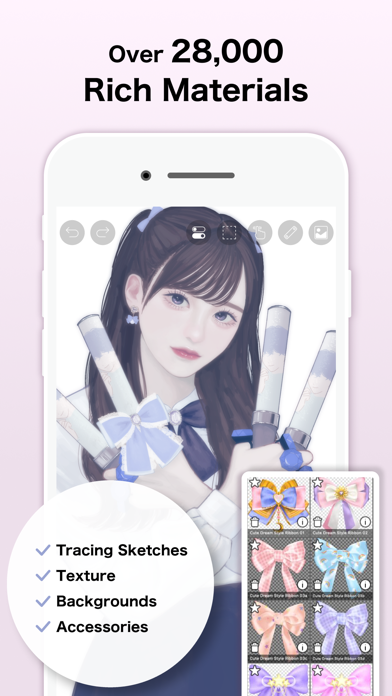
For everyone around the world who wants to draw and animate, freely and without pressure. ibisPaint X is a full-featured illustration and animation app for smartphones and tablets, with over 500 million cumulative downloads across the series. "Drawing looks hard" — this app is made especially for people who think that. A creative experience that doesn't compromise even for free, an interface simple enough to use without hesitation, and a comfortable familiarity that grows the more you use it. ibisPaint X keeps serving as an easy entry point for anyone to start "drawing," while continually expanding what's possible — from a single illustration to frame-by-frame animation, and on to videos with background music and audio. With over 130,000 brushes, 30,000+ materials, 3,000+ fonts, 86 image filters, 46 screentones, 27 layer blending modes, vector tools, a reference window, radial and symmetry rulers, animated filters, and an AI Disturbance feature, ibisPaint X packs in serious functionality that rivals PC illustration software. It's a one-stop app that goes beyond drawing illustrations — into animation production, and even recording and sharing your creative process as a time-lapse video. It's chosen by people of all ages, countries, and experience levels around the world. *Drawing Tutorial YouTube Channel We post lots of videos on how to make the most of ibisPaint. Please subscribe! https://youtube.com/ibisPaint *Supported Digital Styluses https://ibispaint.com/stylus/supported_digital_stylus.jsp?platformType=1 *About Purchase Plans https://ibispaint.com/lecture/index.jsp?no=26 * If you do not cancel auto-renewal at least 24 hours before the free trial ends, you will be automatically charged upon renewal. *About App Access Permissions This app may access various device features to provide the service and improve usability. No access permission is required to use this app — all of the following are optional. You may decline any of these optional permissions. Even if declined, the app's core features remain available, but some features that require the relevant permission may be limited. •Photos/videos in your photo library To import artwork files and images, and to save the artwork files, images, and videos you create •Microphone audio input To connect and communicate with supported peripherals such as digital styluses •Bluetooth communication To connect and communicate with supported peripherals such as digital styluses •Push notifications To deliver notifications related to your artwork, app update information, and important announcements *Questions & Bug Reports We're unable to respond to questions or bug reports left in reviews. Please contact our support desk below instead. https://ssl.ibis.ne.jp/en/support/Entry?svid=25 *ibisPaint Terms of Service https://ibispaint.com/agreement.jsp

See this store page in another country

Prices, ranks and reviews are per country. Revenue above is already worldwide.

More from ibis inc.

ibisPaint - Your Art Studio
Graphics & Design
0 ratingsAnalyze →
ibis Paint
Graphics & Design
29 ratingsAnalyze →
ibis Works
Productivity
0 ratingsAnalyze →