← Back to charts
iMovie icon
APP STORE

iMovie

Apple · Photo & Video · India store
NOT IN TOP 100 HERE
View on App Store ↗
Revenue a month, worldwide
Too small to estimate
Not enough chart or ratings data
New ratings
Tracking
Daily counts start building from today
Rating
0.0 of 5
0 ratings in this store
Countries it ranks in
0
was 0 on Oct 14, 2026

Revenue

Estimated from the grossing charts of Oct 21, 2026 in the 53 countries we track, and ratings growth on the App Store.

EST. REVENUE / MONTH · WORLDWIDE
Unranked
Not in any grossing chart, and it sells nothing in the store (no in-app purchases, free download). Any revenue comes from ads or payments outside the store, which we can't see.
EST. LIFETIME DOWNLOADS
n/a
Estimated from ratings count
RATINGS
0
AVG RATING
n/a
PRICE
Free
AGE
15.8y
LAST UPDATE
22d ago
VERSION
10.4.5
SIZE
3412 MB
AGE RATING
4+

Last 28 days

From our daily snapshots of every grossing chart.

DAYS IN A GROSSING CHART
0 / 28
COUNTRIES NOW
0 (was 0)
EST. REVENUE FROM CHARTS, DAILY · APP STORE ONLY EST
Show daily values
Sep 24, 2026not in a grossing chart
Sep 25, 2026not in a grossing chart
Sep 26, 2026not in a grossing chart
Sep 27, 2026not in a grossing chart
Sep 28, 2026not in a grossing chart
Sep 29, 2026not in a grossing chart
Sep 30, 2026not in a grossing chart
Oct 1, 2026not in a grossing chart
Oct 2, 2026not in a grossing chart
Oct 3, 2026not in a grossing chart
Oct 4, 2026not in a grossing chart
Oct 5, 2026not in a grossing chart
Oct 6, 2026not in a grossing chart
Oct 7, 2026not in a grossing chart
Oct 8, 2026not in a grossing chart
Oct 9, 2026not in a grossing chart
Oct 10, 2026not in a grossing chart
Oct 11, 2026not in a grossing chart
Oct 12, 2026not in a grossing chart
Oct 13, 2026not in a grossing chart
Oct 14, 2026not in a grossing chart
Oct 15, 2026not in a grossing chart
Oct 16, 2026not in a grossing chart
Oct 17, 2026not in a grossing chart
Oct 18, 2026not in a grossing chart
Oct 19, 2026not in a grossing chart
Oct 20, 2026not in a grossing chart
Oct 21, 2026not in a grossing chart
Best rank Sep 24, 2026: not ranked. Now: not ranked. Days at zero are days outside every grossing chart.

Money and momentum

Measured from the store, not estimated.

WHAT IT CHARGES
No in-app purchases
Earns from its upfront price, ads or payments outside the store.
REVIEW MOMENTUM
0.4 reviews / week
  • Trendrising
  • Recent reviews average3.3 stars
  • Recent 1 and 2 star share37%
From the latest 297 written reviews, covering 5736 days.
RELEASE CADENCE
1 update in 90 days
  • Typical gap between releases56 days
From the last 25 versions listed on the App Store.

What users say

Latest reviews, India App Store.

★★★★★Sep 21, 2026
No Drag Text In video

Please fix it this is a big problem text not drag

★★★★★Sep 3, 2026
pathetic dissappointment

after preparing video, not able to export

★★★★★Aug 25, 2026
Does the job

I can edit any video quickly using iMovies. I wish it allowed me to layer text effects and images and overlays, but I am happy with using iMovie for my basic edit.

★★★★★Jul 29, 2026
Low Quality Export

I Just Increased playback speed for my recorded mobile video and export (check all export setting and set high all still) then its get always low (blur) quality

★★★★★Jul 18, 2026
Very good UI

I have been using iMovie for editing all of my YouTube videos and it is very handy and useful specially for beginners

★★★★★Mar 2, 2026
Crash report

The app keeps crashing and takes lot of time to load any video on MacBook Pro M3 with the advanced configuration.
Store screenshots

ScreenshotScreenshotScreenshotScreenshotScreenshotScreenshot

App Store ads

Apple Search Ads this app ran in the last 90 days, from Apple's public ad repository.

Apple's ad repository couldn't be reached right now. Try again later.

Growth research

Where this app is buying and earning its users. Each link opens pre filtered.

ASO keywords

Most repeated terms in the listing. Highlighted ones also appear in the title.

video14create6share6movies5effects5movie4videos4hollywood style3style trailers3beautiful movies3movies edit3share video3effects create3editing3photos3clip3import3later3action3picture3features2imovie2lets2hollywood2

What's new in 10.4.5

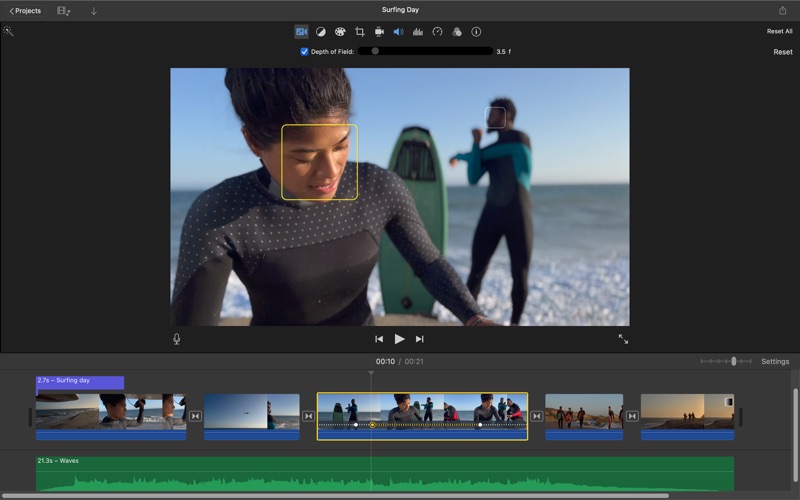
• Edit videos with Cinematic mode effects recorded in Final Cut Camera to adjust focus points and depth of field* • This update includes stability improvements and bug fixes * Requires macOS Golden Gate 27 or later

Released Jan 5, 2011. Current version shipped Sep 29, 2026.

Store description

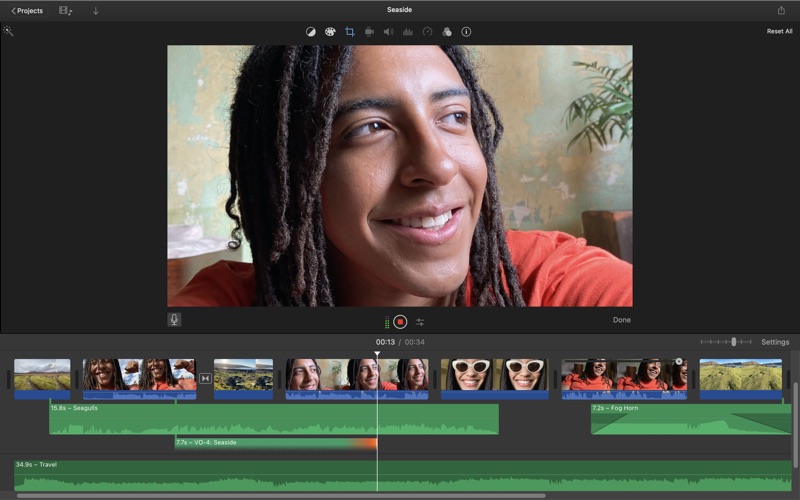
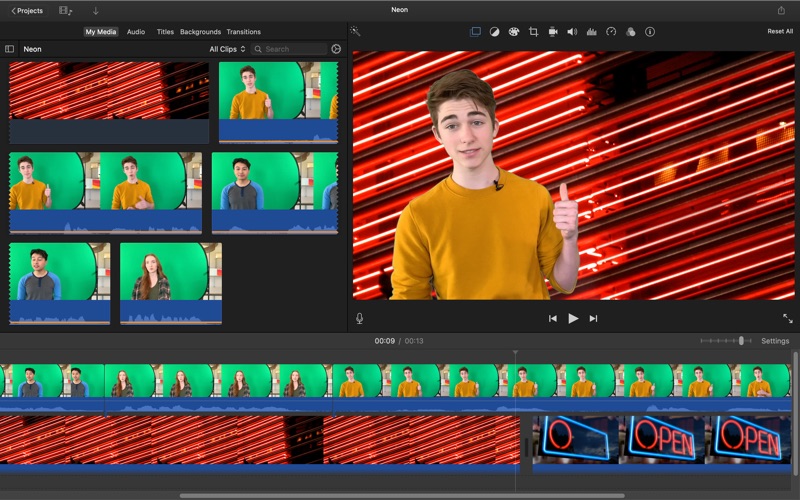
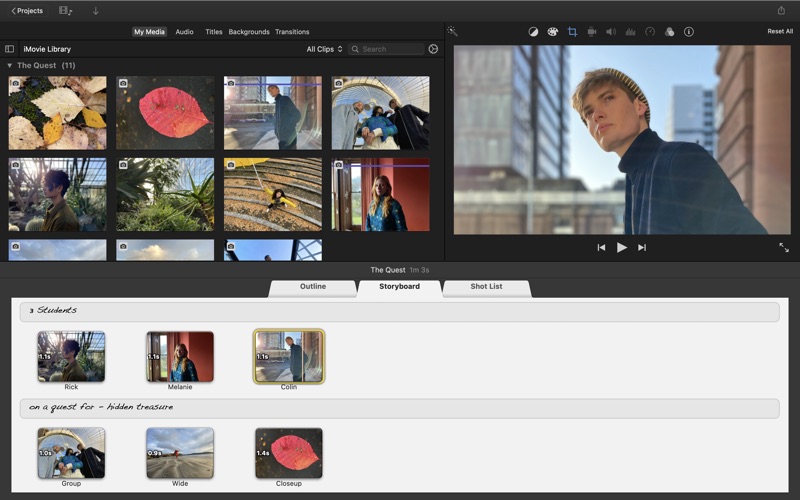
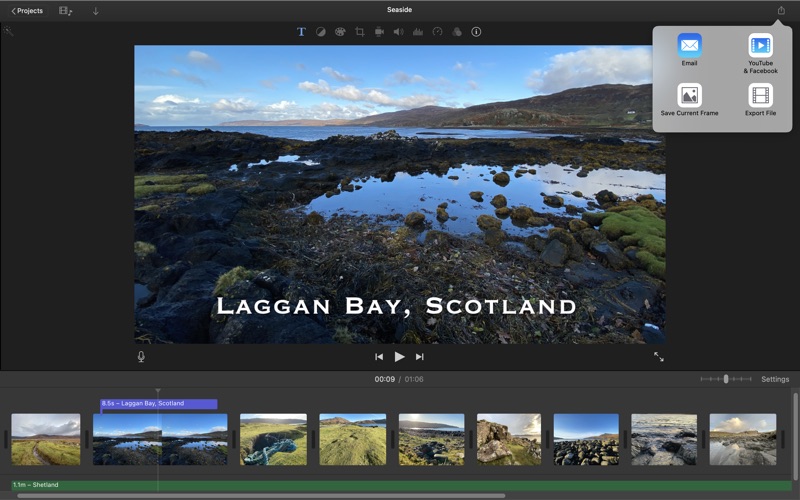
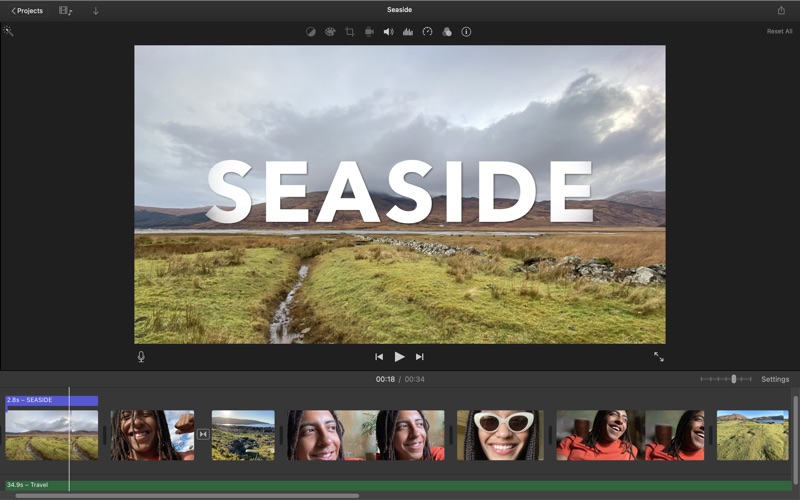
With a streamlined design and intuitive editing features, iMovie lets you create Hollywood-style trailers and beautiful movies like never before. Browse your video library, share favourite moments and create movies that you can edit at resolutions up to 4K. You can even start editing movies on an iPhone or iPad, and finish them on a Mac. Browse and share video • See all your video clips and photos organised in one place • Quickly share a clip or a portion of a clip • Background import lets you begin watching and sharing video instantly Make Hollywood-style trailers • Choose from 29 trailer templates with stunning graphics and original scores by some of the world's top film composers • Customise movie studio logos, cast names and credits • Select the best videos and photos for your trailer with the help of animated drop zones Create beautiful 4K and HD movies • Edit movies at up to 4K resolution with video from iPhone 6s or later, GoPro and other Ultra HD cameras on compatible Macs • Change focus points or the depth effect for video shot in Cinematic mode on iPhone 13 or later • Support for 1080p HD video at 60 frames per second for smoother, more life-like action shots • Import Magic Movie, Storyboard and Movie projects created with iMovie on iPhone or iPad into the timeline • Enhance your movie by adding titles, transitions and 3D globes and travel maps • Speed up and slow down the action with fast-forward and slow-motion effects • Create sophisticated picture-in-picture, side-by-side and green screen effects • Create a soundtrack using built-in music and sound effects, songs from your iTunes library, songs you've recorded in GarageBand and your own narration Fine-tune every clip • Instantly improve the look and sound of your video using one-click Enhance • Give your video a boost with easy-to-use colour controls • Stabilise shaky video for a smoother picture that's easier to watch • Automatically zoom in on faces and glide across panorama photos with the Ken Burns Effect • Choose from 48 fun video and audio effects • Send your project to Final Cut Pro and take advantage of advanced editing tools, professional effects, third-party plug-ins and more Share with friends and family • Email videos with Mail Drop when signed in to iCloud • Export a video optimised for YouTube, Facebook and other popular video destinations • Share any video frame as an image Create App Previews for the App Store • Import iPhone and iPad screen recording videos captured with QuickTime Player • Highlight features with 11 animated titles designed to showcase apps in action • Export finished videos using the App Preview share option System Requirements: macOS 26.4 or later, 4GB of memory, 3.5GB of available disk space.

See this store page in another country

Prices, ranks and reviews are per country. Revenue above is already worldwide.

More from Apple

Apple Books
Book
12.1K ratingsAnalyze →
Apple Podcasts
Entertainment
32.1K ratingsAnalyze →
Find My Friends
Social Networking
17 ratingsAnalyze →
Apple Support
Utilities
4.8K ratingsAnalyze →
Shazam: Find Music & Concerts
Music
224.5K ratingsAnalyze →
Keynote: Design Presentations
Productivity
19.2K ratingsAnalyze →
GarageBand
Music
21.3K ratingsAnalyze →
Apple Store
Shopping
22.4K ratingsAnalyze →
iMovie
Photo & Video
29.1K ratingsAnalyze →