ASO keywords
Most repeated terms in the listing. Highlighted ones also appear in the title.
camera9camerito9camera station6station6devices5video5station device5two4device4viewer4watch4stations4install camerito3camerito two3choose camera3viewer station3keep scan3scan code3watch live3live video3video listen3listen audio3camera stations3event history3
What's new in 4.9.1
We are excited to bring you an even better version of Camerito!
- Improved pairing. The app takes you through the setup step by step.
- You can use a phone, a tablet or a computer as your second device.
- Fixed video that played rotated on some recordings.
- Improved video zoom.
- Improved audio processing.
Thank you for using Camerito. We look forward to your feedback!
Released May 9, 2024. Current version shipped Sep 24, 2026.
Store description
Turn an old or spare phone, tablet or computer into a home security camera and check in from anywhere. Install Camerito on two devices. Choose Camera Station on the device you leave where you want to monitor and Viewer Station on the one you keep with you, then scan the QR code to pair them. Within minutes you can watch live video, listen to audio and get alerts when motion or sound is detected. There is no need to buy an expensive standalone camera. Camerito works over WiFi or cellular data.
FREE, WITH NO TIME LIMIT
Camerito Free is not a short trial. You can use the core monitoring features for as long as you like, with ads. Premium unlocks all features, including HD video, zoom, unlimited Camera Stations and longer event history, and removes ads.
SET UP IN MINUTES
1. Install Camerito on two phones, tablets or computers.
2. Choose Camera Station on the device that stays in the room.
3. Choose Viewer Station on the device you keep with you.
4. Scan the QR code. You are ready to watch.
SEE, HEAR AND RESPOND
• Watch live video and listen to audio remotely.
• Get motion alerts and sound notifications; adjust sensitivity and detection zones.
• Review short event clips saved automatically, or record a clip manually and save or share it.
• Missed something? Rewind the live view to see what happened.
• Speak through the other device with two-way audio; Premium also supports two-way video.
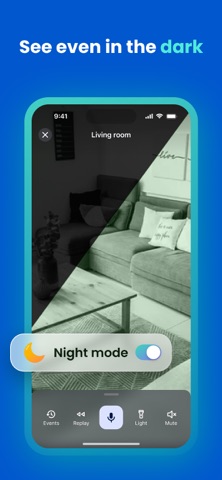
• Low-light mode automatically brightens the picture when the room is dim, and you can switch it remotely.
• Switch between the front and rear cameras, turn on the light, trigger the remote siren or pause a Camera Station from afar.
• Watch from any number of Viewer Stations or in a supported web browser.
EVENTS AND DEVICES
Free keeps events for 1 day and supports up to 3 Camera Stations. Premium keeps event history for up to 21 days and removes the Camera Station limit. The number of Viewer Stations is unlimited on both plans.
EVERYDAY USES
Check a room, entrance, garage, vacation home or workspace with devices you already own. Camerito can also help you check on an older parent or a baby, or take a quick look at a dog, cat or other pet while you are away.
GOOD TO KNOW
Camerito connects your own devices. It does not set up or display third-party CCTV, IP, video doorbell or smart camera hardware. It is a monitoring aid, not a replacement for a certified alarm, emergency service or professional security system. Performance depends on the devices, permissions, power and network connection.
SUBSCRIPTIONS
In-app purchases are processed by Apple. Subscriptions renew automatically unless canceled through your Apple Account. Camerito does not receive or store your card number.
Need help? Contact support@camerito.com.
Terms of Use
https://camerito.com/en/terms
See this store page in another country
Prices, ranks and reviews are per country. Revenue above is already worldwide.