← Back to charts
Cricut Heat: DIY Heat Transfer icon
APP STORE

Cricut Heat: DIY Heat Transfer

Cricut, Inc. · Graphics & Design · Japan store
NOT IN TOP 100 HERE
View on App Store ↗ Google Play version →
Revenue a month, worldwide
Too small to estimate
Not enough chart or ratings data
New ratings
Tracking
Daily counts start building from today
Rating
0.0 of 5
0 ratings in this store
Countries it ranks in
0
was 0 on Oct 14, 2026

Revenue

Estimated from the grossing charts of Oct 21, 2026 in the 53 countries we track, and ratings growth on the App Store.

EST. REVENUE / MONTH · WORLDWIDE
Unranked
Not in any grossing chart, and it sells nothing in the store (no in-app purchases, free download). Any revenue comes from ads or payments outside the store, which we can't see.
EST. LIFETIME DOWNLOADS
n/a
Estimated from ratings count
RATINGS
0
AVG RATING
n/a
PRICE
無料
AGE
4.6y
LAST UPDATE
856d ago
VERSION
1.1.3
SIZE
50 MB
AGE RATING
4+

Last 28 days

From our daily snapshots of every grossing chart.

DAYS IN A GROSSING CHART
0 / 28
COUNTRIES NOW
0 (was 0)
EST. REVENUE FROM CHARTS, DAILY · BOTH STORES ONLY EST
Show daily values
Sep 24, 2026not in a grossing chart
Sep 25, 2026not in a grossing chart
Sep 26, 2026not in a grossing chart
Sep 27, 2026not in a grossing chart
Sep 28, 2026not in a grossing chart
Sep 29, 2026not in a grossing chart
Sep 30, 2026not in a grossing chart
Oct 1, 2026not in a grossing chart
Oct 2, 2026not in a grossing chart
Oct 3, 2026not in a grossing chart
Oct 4, 2026not in a grossing chart
Oct 5, 2026not in a grossing chart
Oct 6, 2026not in a grossing chart
Oct 7, 2026not in a grossing chart
Oct 8, 2026not in a grossing chart
Oct 9, 2026not in a grossing chart
Oct 10, 2026not in a grossing chart
Oct 11, 2026not in a grossing chart
Oct 12, 2026not in a grossing chart
Oct 13, 2026not in a grossing chart
Oct 14, 2026not in a grossing chart
Oct 15, 2026not in a grossing chart
Oct 16, 2026not in a grossing chart
Oct 17, 2026not in a grossing chart
Oct 18, 2026not in a grossing chart
Oct 19, 2026not in a grossing chart
Oct 20, 2026not in a grossing chart
Oct 21, 2026not in a grossing chart
Best rank Sep 24, 2026: not ranked. Now: not ranked. Days at zero are days outside every grossing chart.

Money and momentum

Measured from the store, not estimated.

WHAT IT CHARGES
No in-app purchases
Earns from its upfront price, ads or payments outside the store.
REVIEW MOMENTUM
Too few reviews
Fewer than 3 recent written reviews in this country.
RELEASE CADENCE
0 updates in 90 days
  • Typical gap between releases265 days
From the last 5 versions listed on the App Store.

Store screenshots

ScreenshotScreenshotScreenshotScreenshotScreenshotScreenshotScreenshotScreenshot

App Store ads

Apple Search Ads this app ran in the last 90 days, from Apple's public ad repository.

Apple's ad repository couldn't be reached right now. Try again later.

Growth research

Where this app is buying and earning its users. Each link opens pre filtered.

ASO keywords

Most repeated terms in the listing. Highlighted ones also appear in the title.

cricut31cricut easypress13cricut cricut13easypress cricut11cricut hat11hat press10easypress8cricut heat8hat7press cricut6press6heat5heat cricut5bluetooth cricut3infusible ink3ink cricut3htv2bluetooth2infusible2ink2

What's new in 1.1.3

バグ修正とパフォーマンスの改善

Released Mar 9, 2022. Current version shipped Jun 17, 2024.

Store description

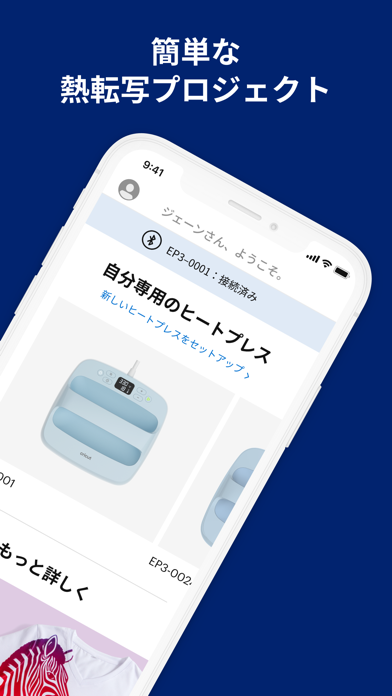
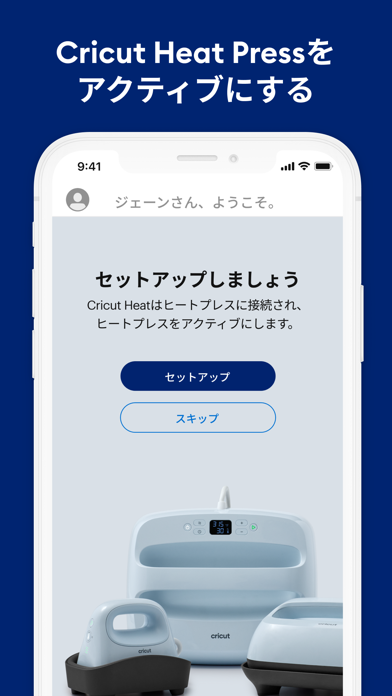
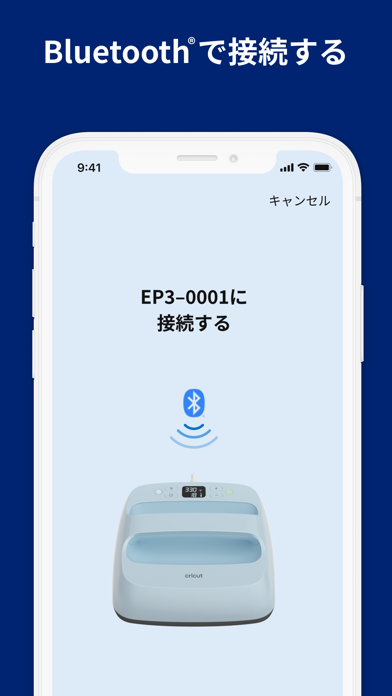
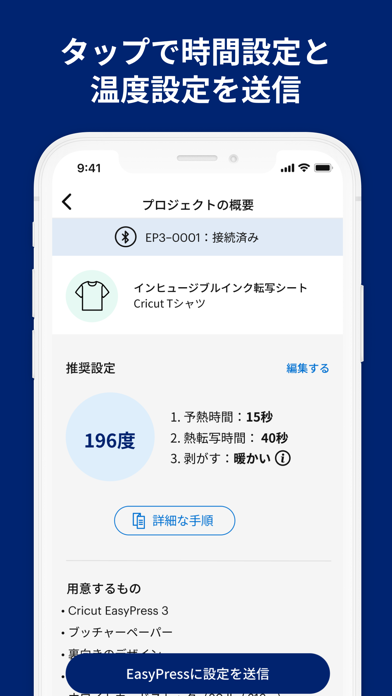
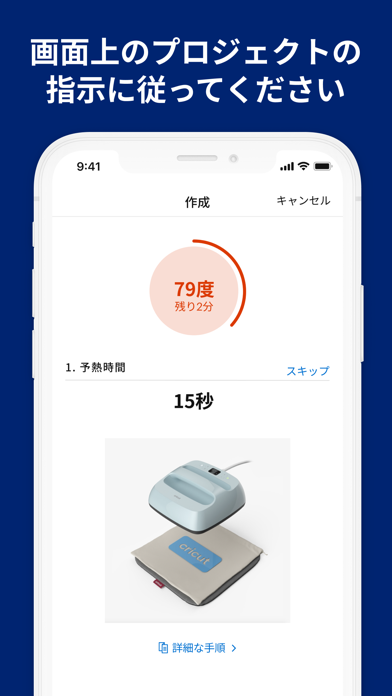
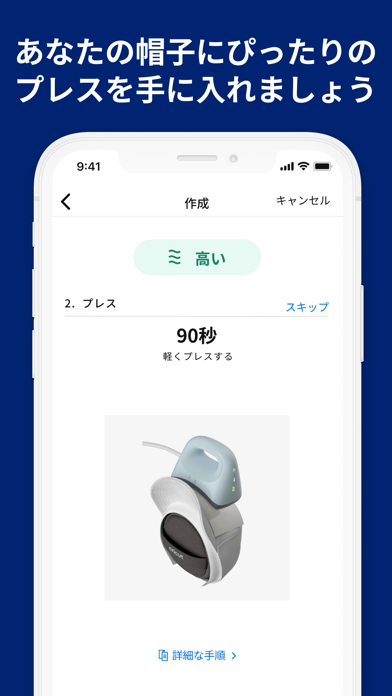
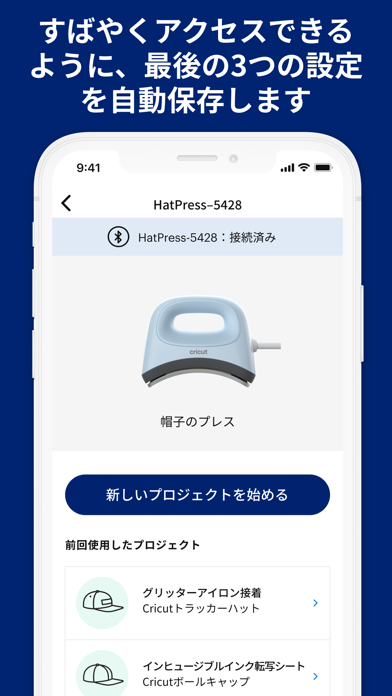
このCricut EasyPress® 3およびCricut Hat Press™ スマートヒートプレス用アプリを使用すると、あらゆる熱転写 (HTV) プロジェクトに理想的な時間と温度を設定でき、それをワンタップでプレス機器に送信可能です。作業する素材の種類とブランクを選択するだけで、その素材に最適な加工方法をステップバイステップでカスタマイズしてくれます。アイロンプリントのデザインをコットンTシャツに転写したり、プロレベルのカスタム帽子を作ったり、Cricut Heat™アプリは 材料リストの作成から、正しい積み重ねの順序、そして仕上げに至るまでのあらゆるステップをカバーします。----> 注意: このアプリはCricut EasyPress 3 と Cricut Hat Press スマートヒートプレスのみで作動します。以前のモデルについては、cricut.com/heatguideのオンラインインタラクティブCricut Heat Guideをご利用ください。Cricut®のご利用は初めてですか?ようこそ!このアプリでは、製品のセットアップとアクティベーションを順を追って説明します。画面の指示に従って操作してください。既に会員になっている方は、Cricut IDでサインイン後、プレスの設定と有効化を行うことができます。特長 ● プロジェクトに合わせて予熱からプレス後の剥がし作業、仕上げまでの説明!● あらゆる熱転写プロジェクトに対応する最適な時間と温度の設定 ● 設定内容を3つまで自動保存し素早くアクセスできる ● 便利な消耗品リスト ● カスタム設定オプション ● ワンタップのファームウェア更新をアプリ内で通知 ● 既存のCricut IDに接続 ● アプリ内にCricut EasyPress 3 と Cricut Hat Press ユーザーガイド付き ● ヘルプリンク & ビデオにアプリから直接アクセス可 使い方 1. アプリをダウンロードして開き、Cricut EasyPress 3またはCricut Hat Pressをセットアップします。2. Bluetooth®経由でプレスを接続します(アプリの案内に従ってください) 3. 作りたいものを選んで、画面の指示に従います。CRICUT EASYPRESS 3について ご利用のCricutヒートプレスが、よりスマートになりました。Cricut EasyPress 3をCricut Heatアプリと一緒に使えば、理想的な時間と温度の設定をワンタップで送信でき、さらにすべてのプロジェクトについてステップバイステップの説明も得られます。予熱から剥離後の仕上げまでの手順を的確に知ることができます。Cricut EasyPress 3は、最大400℉(205℃)まで熱を調節できるので、熱プレスのスピードとアイロンの利便性を兼ね備えていて、素早く、楽に、長持ちする仕上りにすることができます。ほとんどの主要メーカーのアイロンプリント、HTV、すべてのInfusible Ink™素材に使用できます。断熱安全ベースと自動オフ機能がついているので安心です。Cricut EasyPress 3 は軽量で持ち運び易く、保管が簡単です。Cricutのカッティングマシンと合わせてご利用いただけます。CRICUT HAT PRESSについてCricut Hat Press™は、帽子用に作られたヒートプレスです。湾曲した熱板はセラミックコーティングされ、3段階で最高400°F(205℃)まで加熱でき、シワのない安定した転写が可能です。Cricut Hat Pressing Formを使うだけで、絵柄を帽子にしっかりとプレスできます。デザインを帽子に付け、Bluetooth接続のCricut Heat™アプリでモバイルデバイスから正確な時間&温度設定を送信します。タイマーをスタートさせてください。転送完了時にプレス機がお知らせします。オートオフ機能、握りやすいグリップ、セーフティベースなど、安全に配慮されているため、安心して作業できます。すべての主要ブランドのアイロンプリント、熱転写ビニール、Infusible Ink™、昇華素材などの使用が可能です。すべてのCricutカッティングマシンと合わせてご利用いただけます。お困りですか?いつでもお問い合わせください。- Cricutメンバーケアまでチャット、電話、メールにて お問い合わせください。http://help.cricut.com 細則 Cricut Heatアプリの使用には、Cricutの利用規約(cricut.com/legal)が適用されます。(法的問題の解決には弁護士にご相談いただくことになります。

See this store page in another country

Prices, ranks and reviews are per country. Revenue above is already worldwide.