← Back to charts
Nomad Sculpt icon
APP STORE

Nomad Sculpt

Hexanomad · Graphics & Design · United States store
NOT IN TOP 100 HERE
View on App Store ↗ Google Play version →
Revenue a month, worldwide EST
$47.2K
Likely $15.7K to $141.6K
New ratings
Tracking
Daily counts start building from today
Rating
4.8 of 5
14.4K ratings in this store
Countries it ranks in
13
was 15 on Oct 15, 2026

Revenue

Estimated from the grossing charts of Oct 21, 2026 in the 53 countries we track, and ratings growth on the App Store.

EST. REVENUE / MONTH · WORLDWIDE · BOTH STORES
$47.2K
Range $15.7K to $141.6K
EST. REVENUE / YEAR · WORLDWIDE
$566.2K
Both stores combined. Small app estimate, so no split per store
EST. LIFETIME DOWNLOADS
505.8K to 1.4M
Estimated from ratings count
WHERE IT EARNS · EST. / MONTH
  • United States #75 Art & Design (Play)$23.9K · 51%
  • Indonesia #66 Art & Design (Play)$2.7K · 6%
  • Philippines #66 Art & Design (Play)$2.3K · 5%
  • Argentina #66 Art & Design (Play)$1.8K · 4%
  • Turkey #66 Art & Design (Play)$1.4K · 3%
  • Thailand #67 Art & Design (Play)$1.2K · 3%
  • Saudi Arabia #66 Art & Design (Play)$1.1K · 2%
  • Chile #66 Art & Design (Play)$836 · 2%
31 more countries
  • Poland #66 Art & Design (Play)$836 · 2%
  • Malaysia #67 Art & Design (Play)$787 · 2%
  • UAE #66 Art & Design (Play)$760 · 2%
  • Netherlands #66 Art & Design (Play)$738 · 2%
  • Colombia #66 Art & Design (Play)$690 · 1%
  • Vietnam #67 Art & Design (Play)$622 · 1%
  • Israel #66 Art & Design (Play)$574 · 1%
  • South Africa #66 Art & Design (Play)$529 · 1%
  • Hong Kong #61 Art & Design (Play)$453 · 1%
  • Ukraine #63 Art & Design (Play)$439 · 1%
  • Portugal #66 Art & Design (Play)$423 · 1%
  • Singapore #66 Art & Design (Play)$423 · 1%
  • Switzerland #66 Art & Design (Play)$397 · 1%
  • New Zealand #66 Art & Design (Play)$365 · 1%
  • Pakistan #63 Art & Design (Play)$349 · 1%
  • Egypt #65 Art & Design (Play)$321 · 1%
  • Peru #65 Art & Design (Play)$318 · 1%
  • Austria #66 Art & Design (Play)$310 · 1%
  • Belgium #66 Art & Design (Play)$292 · 1%
  • Romania #66 Art & Design (Play)$265 · 1%
  • Czechia #66 Art & Design (Play)$257 · 1%
  • Finland #66 Art & Design (Play)$249 · 1%
  • Kazakhstan #66 Art & Design (Play)$247 · 1%
  • Kuwait #66 Art & Design (Play)$237 · 1%
  • Norway #66 Art & Design (Play)$229 · 0%
  • Ireland #66 Art & Design (Play)$192 · 0%
  • Bangladesh #63 Art & Design (Play)$171 · 0%
  • Greece #66 Art & Design (Play)$167 · 0%
  • Denmark #66 Art & Design (Play)$156 · 0%
  • Qatar #66 Art & Design (Play)$145 · 0%
  • Nigeria #64 Art & Design (Play)$128 · 0%
HOW SURE ARE WE
Small app: combines its grossing ranks with ratings growth (474 new ratings a month on average since launch). Tested on 418 apps with verified revenue: typically off by about 2.4 times, so the range is wide. Countries we don't track (and Google Play in China, which doesn't exist) aren't included, and neither are ads or web payments. Gross revenue before store fees.
RATINGS
14.4K
AVG RATING
4.82
PRICE
$19.99
AGE
6.2y
LAST UPDATE
7d ago
VERSION
2.12
SIZE
293 MB
AGE RATING
4+

Last 29 days

From our daily snapshots of every grossing chart.

DAYS IN A GROSSING CHART
29 / 29
COUNTRIES NOW
17 (was 5)
EST. REVENUE A MONTH, DAILY · BOTH STORES EST
Show daily values
Sep 24, 2026not in a grossing chart
Sep 25, 2026not in a grossing chart
Sep 26, 2026not in a grossing chart
Sep 27, 2026not in a grossing chart
Sep 28, 2026not in a grossing chart
Sep 29, 2026not in a grossing chart
Sep 30, 2026not in a grossing chart
Oct 1, 2026not in a grossing chart
Oct 2, 2026not in a grossing chart
Oct 3, 2026$1.2K a month
Oct 4, 2026$2.6K a month
Oct 5, 2026$889 a month
Oct 6, 2026not in a grossing chart
Oct 7, 2026$1K a month
Oct 8, 2026not in a grossing chart
Oct 9, 2026not in a grossing chart
Oct 10, 2026$75.8K a month
Oct 11, 2026not in a grossing chart
Oct 12, 2026$2.7K a month
Oct 13, 2026$5.5K a month
Oct 14, 2026$1.9K a month
Oct 15, 2026not in a grossing chart
Oct 16, 2026not in a grossing chart
Oct 17, 2026$1.3K a month
Oct 18, 2026$550 a month
Oct 19, 2026$2.3K a month
Oct 20, 2026not in a grossing chart
Oct 21, 2026$193.9K a month
Oct 22, 2026not in a grossing chart
The same estimate as the headline, saved every day. Best rank Sep 24, 2026: #33 Graphics & Design · KR. Now: #21 Graphics & Design · NZ.

Money and momentum

Measured from the store, not estimated.

WHAT IT CHARGES
1 purchase listed
  • Quad Remesher$15.99
Top in-app purchases as listed on the App Store, in local prices.
REVIEW MOMENTUM
1.5 reviews / week
  • Trendrising
  • Recent reviews average4.4 stars
  • Recent 1 and 2 star share10%
From the latest 484 written reviews, covering 2267 days.
RELEASE CADENCE
3 updates in 90 days
  • Typical gap between releases5 days
From the last 25 versions listed on the App Store.
RATING BREAKDOWN
14.4K ratings
5★90%
4★6%
3★2%
2★1%
1★2%

What users say

Latest reviews, United States App Store.

★★★★★Oct 14, 2026
export cause cause out every time

this app is great and I have a lot of fun working with it, but since the last update, every time i try to export annnnything it crashes out! help please. i need exports

★★★★★Oct 12, 2026
10/10 sculpting software.

Its peak. I really wish they added rigging support

★★★★★Oct 10, 2026
Small Dev, Massive App!

As of 2026 this is the best 3D sculpting app on the market. And it has a massive community following behind it with loads of videos on YouTube. I have spent hundreds of hours and keep coming back to it for the User Experience. This is my go to app for creating my characters on the go. Clean UI that you can fully customize, literally everything about it. Tools that support making your own textures and brushes. Lots of tools. Support for Quad Remesher (separate license) that has great tools to use with the 3rd party app. Primitive objects have loads of features to assist in the block-out phase. Boolean tools, remesh via masking, and the amazing layer system are also notable features that make this app stand out beautifully. Support this dev, he has earned the purchase price (one time cost).

★★★★★Oct 9, 2026
Just buy it.

It’s the best 3D modeling app on iPad. Insanely powerful and useful, but it’s like blender in the way that you can do so much with it, you WILL need youtube.

★★★★★Oct 8, 2026
I love it!

Sooooo good! It’s the best 3d modeling app ever! I’m still learning a bit

★★★★★Oct 6, 2026
Wow!!

It’s like a dream come true. This app does it all and there are plenty of people on YouTube teaching you the ins and outs.

Apps like this

Same category, earning about as much.

Store screenshots

ScreenshotScreenshotScreenshotScreenshotScreenshotScreenshotScreenshotScreenshotScreenshotScreenshot

App Store ads

Apple Search Ads this app ran in the last 90 days, from Apple's public ad repository.

No App Store ads in the EU
None in the last 90 days.

Apple only publishes ads shown in the EU (EU Digital Services Act), with a 7 day delay. An app that advertises only outside the EU shows nothing here.

Growth research

Where this app is buying and earning its users. Each link opens pre filtered.

ASO keywords

Most repeated terms in the listing. Highlighted ones also appear in the title.

mesh6sculpting5painting5layers4face4color roughness3roughness metalness3sculpting painting3creation process3level detail3used quickly3face group3face groups3vertex data3pbr rendering3tools3shape3creation3vertex3process3quickly3detail3automatic3data3

What's new in 2.12

• Bake - Smooth base: measure the displacement from the subdivided base, for Blender adaptive subdivision • VDM - Create: add a plane to sculpt a VDM, or capture one from the surface • Gizmo - Pivot: View aligns the pivot to the current view • Surface repeater - A second finger moves the camera instead of toggling a face group • Fixes - Crash when opening the share sheet after an export - Crash when extracting while the preview is computing - UV Unwrap no longer warns about losing the subdivision levels - Move, Drag and Elastic: a tap selects the object instead of nudging it - System menus follow the light or dark interface

Released Aug 4, 2020. Current version shipped Oct 14, 2026.

Store description

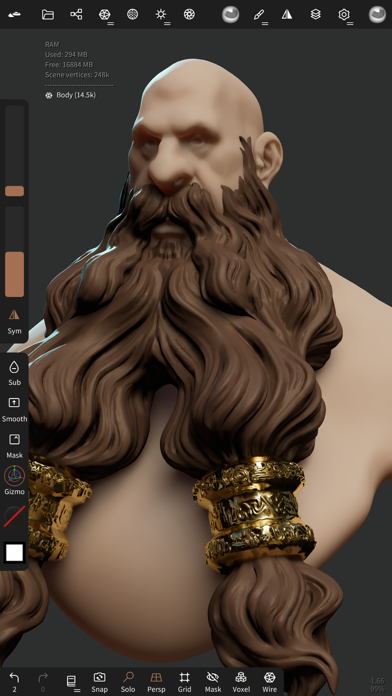
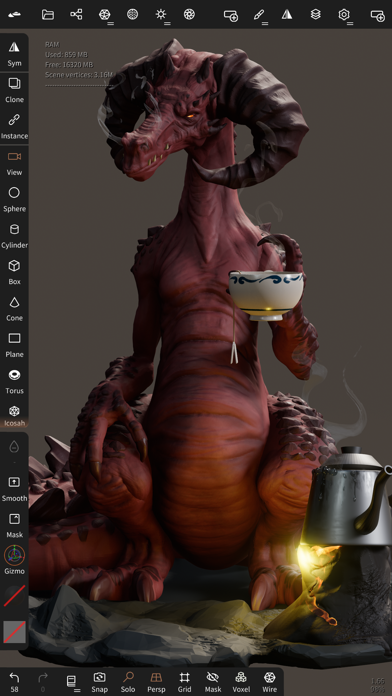
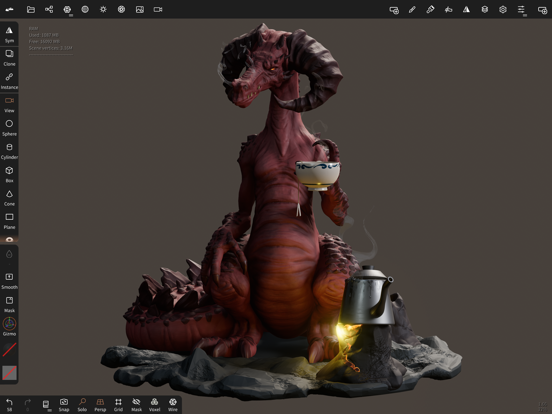
• Sculpting tools Clay, flatten, smooth, mask and many other brushes will let you shape your creation. You can also use the trim boolean cutting tool with lasso, rectangle and other shapes, for hardsurface purposes. • Stroke customization Falloff, alphas, tilings, pencil pressure and other stroke parameters can be customized. You can save and load your tools preset as well. • Painting tools Vertex painting with color, roughness and metalness. You can easily manage all your material presets as well. • Layers Record your sculpting and painting operations in separate layers for easier iteration during the creation process. Both the sculpting and painting changes are recorded. • Multiresolution sculpting Go back and forth between multiple resolution of your mesh for a flexible workflow. • Voxel remeshing Remesh quickly your mesh to get a uniform level of detail. It can be used to quickly sketch a rough shape at the beginning of the creation process. • Dynamic topology Refine locally your mesh under your brush to get an automatic level of detail. You can even keep your layers, as they will be automatically updated! • Decimate Reduce the number of polygons by keeping as many details as possible. • Face Group Segment your mesh into subgroups with the face group tool. • Automatic UV unwrap The automatic UV unwrapper can use face groups to control the unwrapping process. • Baking You can transfer vertex data such as color, roughness, metalness and small scaled detail in to textures. You can also do the opposite, transfering textures data into vertex data or layers. • Primitive shape Cylinder, torus, tube, lathe and other primitives can be used to quickly start new shapes from scratch. • PBR rendering Beautiful PBR rendering by default, with lighting and shadows. You can always switch to matcap for a more standard shading for sculpting purposes. • Post processing Screen Space Reflection, Depth of Field, Ambient Occlusion, Tone mapping, etc • Export and Import Supported formats include glTF, OBJ, STL or PLY files. • Interface Easy-to-use interface, designed for mobile experience. Customization is possible as well! • Quad Remesher (separate in-app purchase only) Remesh your object automatically with a quad dominant mesh that follows the mesh curvatures. It supports guides, face groups and density painting.

See this store page in another country

Prices, ranks and reviews are per country. Revenue above is already worldwide.