← Back to charts
Screen Mirroring App -1001 TVs icon
APP STORE

Screen Mirroring App -1001 TVs

Nero AG · Utilities · United Kingdom store
NOT IN TOP 100 HERE
View on App Store ↗
Revenue a month, worldwide EST
$6.6K
Likely $2.2K to $19.7K
▼ 28.0% in 27 days
New ratings
Tracking
Daily counts start building from today
Rating
4.0 of 5
73 ratings in this store
Countries it ranks in
1
was 3 on Oct 15, 2026

Revenue

Estimated from the grossing charts of Oct 21, 2026 in the 53 countries we track, and ratings growth on the App Store.

EST. REVENUE / YEAR · WORLDWIDE
$78.9K
No Google Play version found
EST. LIFETIME DOWNLOADS
2.6K to 7.3K
Estimated from ratings count
WHERE IT EARNS · EST. / MONTH
  • South Korea #76 Utilities$6.6K · 100%
HOW SURE ARE WE
Small app: combines its grossing ranks with ratings growth (45 new ratings a month on average since launch). Tested on 418 apps with verified revenue: typically off by about 2.6 times, so the range is wide. Countries we don't track (and Google Play in China, which doesn't exist) aren't included, and neither are ads or web payments. Gross revenue before store fees.
RATINGS
73
AVG RATING
3.99
PRICE
Free
AGE
7.4y
LAST UPDATE
47d ago
VERSION
3.0.32
SIZE
107 MB
AGE RATING
4+

Last 29 days

From our daily snapshots of every grossing chart.

DAYS IN A GROSSING CHART
27 / 29
COUNTRIES NOW
1 (was 1)
EST. REVENUE A MONTH, DAILY · APP STORE EST
Show daily values
Sep 24, 2026$31.6K a month
Sep 25, 2026$33.9K a month
Sep 26, 2026$42.8K a month
Sep 27, 2026$43.8K a month
Sep 28, 2026$42.4K a month
Sep 29, 2026$41.8K a month
Sep 30, 2026$38.5K a month
Oct 1, 2026$15.6K a month
Oct 2, 2026$9.6K a month
Oct 3, 2026$22.6K a month
Oct 4, 2026$38.6K a month
Oct 5, 2026$39.6K a month
Oct 6, 2026$23.1K a month
Oct 7, 2026$25.9K a month
Oct 8, 2026not in a grossing chart
Oct 9, 2026not in a grossing chart
Oct 10, 2026$17.9K a month
Oct 11, 2026$35.4K a month
Oct 12, 2026$4K a month
Oct 13, 2026$35.9K a month
Oct 14, 2026$37.2K a month
Oct 15, 2026$8.8K a month
Oct 16, 2026$3K a month
Oct 17, 2026$2.1K a month
Oct 18, 2026$4.5K a month
Oct 19, 2026$3.1K a month
Oct 20, 2026$17.8K a month
Oct 21, 2026$22.7K a month
Oct 22, 2026not in a grossing chart
The same estimate as the headline, saved every day. Best rank Sep 24, 2026: #42 Utilities · KR. Now: #68 Utilities · TW.

Money and momentum

Measured from the store, not estimated.

WHAT IT CHARGES
6 purchases listed
  • Yearly Subscription£19.00
  • Weekly Subscription£0.95
  • Monthly Subscription£2.89
  • Special Yearly Offer£19.00
  • Exclusive Yearly Offer£19.00
  • Lifetime Access£57.90
Top in-app purchases as listed on the App Store, in local prices.
REVIEW MOMENTUM
0.1 reviews / week
  • Recent reviews average2.0 stars
  • Recent 1 and 2 star share80%
From the latest 5 written reviews, covering 554 days.
RELEASE CADENCE
2 updates in 90 days
  • Typical gap between releases23 days
From the last 25 versions listed on the App Store.
RATING BREAKDOWN
73 ratings
5★64%
4★10%
3★4%
2★4%
1★18%

What users say

Latest reviews, United Kingdom App Store.

★★★★★Mar 15, 2026
Rip off

I just purchased a subscription from Microsoft store but when i go to send a file to my pc it says i have to pay to use it. I also my pc cant find my iPhone no matter what i do So why dose it say 1001TV: screen mirror & file transfer on the app in the Microsoft store. That is just misleading.

★★★★★Nov 4, 2025
They're giving air

If you want a free app that costs money, go to them, but there are better options there.

★★★★★Aug 16, 2025
Works well

I use it to cast football games from my iPad. It’s simple and it works

★★★★★Jul 24, 2025
Need to subscribe for free trial

Typical scam. You cannot test functionality without subscribing first for £19.99. No thanks

★★★★★Apr 16, 2025
It’s a scam

It’s a scam to get you to subscribe. Once you invoke the App you can’t use the home button as the home button has been redirected to your Apple Pay. In short, you can’t quite the App without paying

Apps like this

Same category, earning about as much.

Store screenshots

ScreenshotScreenshotScreenshotScreenshotScreenshotScreenshotScreenshotScreenshotScreenshotScreenshot

App Store ads

Apple Search Ads this app ran in the last 90 days, from Apple's public ad repository.

Apple's ad repository couldn't be reached right now. Try again later.

Growth research

Where this app is buying and earning its users. Each link opens pre filtered.

ASO keywords

Most repeated terms in the listing. Highlighted ones also appear in the title.

screen8screen mirroring6mirroring6real time5tvs4phone4support4time4mirror41001tvs4smart tvs3screen real31001tvs license3license html3smart3mode3real3devices3cast2tablet2web2browser2phones2always2

What's new in 3.0.32

- Refined the app interface for a smoother, more intuitive experience. - Fixed bugs and improved screen mirroring stability.

Released May 28, 2019. Current version shipped Sep 5, 2026.

Store description

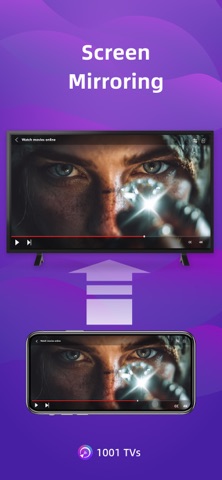
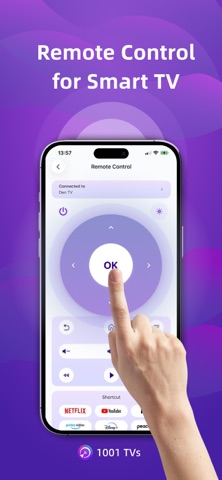
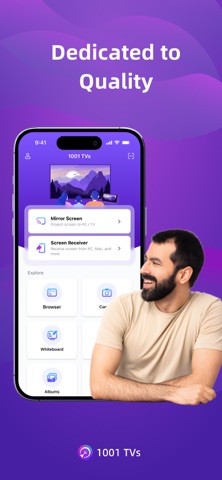
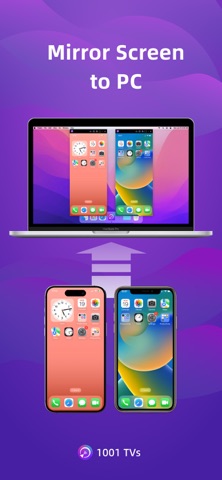
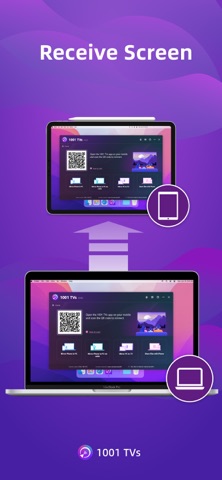
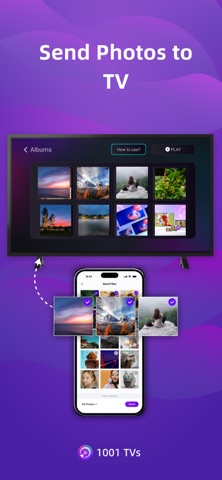
1001 TVs lets you cast your phone or tablet to Windows, Mac, Smart TV, Apple TV—even a web browser. You can also receive screen mirroring from other phones and PCs. We are a professional team on screen mirroring, always focus on the core features: [New Feature] TV Remote Control — Auto-detect Smart TVs on the same Wi-Fi and control Power / Volume / Home / Channels / Direction pad (Up/Down/Left/Right) + Select/Confirm. - Support landscape mode and portrait mode that keep same ratio with phone's screen - Real-Time screen mirroring, keep best balance with low Latency and good quality - Audio and video stay perfectly in sync - Mirror multiple phones to one PC at the same time - Automatically rotates screen to match your phone’s orientation - Fit, Fill, or Zoom mode to remove black borders - Support screen mirroring to older devices that don't support AirPlay or Miracast. - Mirror to any browser (like Chrome) — no app needed on the receiver side - Live Camera Mirroring — mirror what your camera sees to a big screen in real time. Great for selfies, support mirror flip - Whiteboard — draw or write and share in real time on TV or PC Also provide additional features: * Photo Albums — Upload and display photos on your TV * Web Streaming — Stream videos, music, and images to Smart TVs * Fast File Transfer — Quickly send files between devices without cables How to Get Started? # Install 1001 TVs on your phone and the device you want to cast to (PC, TV or tablet) # Connect both devices to the same Wi-Fi network # Open the app, select a device, and start mirroring No cables, no complicated setup — just tap and go. [Feedback] Reach out to us at 1001tvs@nero.com or visit our website: www.1001tvs.com [Subscription Plan] -Service Title: Auto-renew Weekly, Auto-renew Monthly, Auto-renew Yearly and Lifetime; -Your payment will be charged to your store account once you confirm the purchase; -Your subscription will automatically renew unless canceled at least 24 hours before the end of the current period; -You can always cancel the subscription through your store account; [Terms of Use] http://1001tvs.com/license/en/terms.html [Privacy Policy] http://1001tvs.com/license/en/privacy.html For privacy, screen casting data remains within your local network and will never be uploaded.

See this store page in another country

Prices, ranks and reviews are per country. Revenue above is already worldwide.