ASO keywords
Most repeated terms in the listing. Highlighted ones also appear in the title.
para16fotos9foto8mais8estilos8timestamp camera8data hora6perfeito para6timestamp6camera5uma5data5carimbo5mem rias5hora4suas4rias4projetos4perfeito4rio4dia4mera4cada foto3crescimento beb3
What's new in 1.20.0
Correções de bugs e melhorias de estabilidade.
Released May 25, 2016. Current version shipped Jul 17, 2026.
Store description
Saiba exatamente quando cada foto foi tirada.
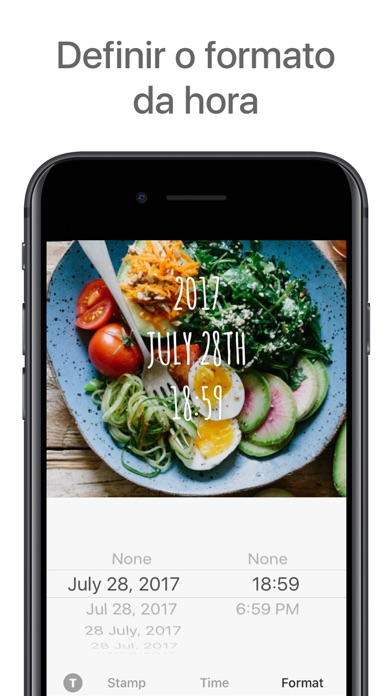
O Timestamp Camera adiciona uma marca d'água clara de data e hora às suas novas fotos ou imagens da galeria — para que suas memórias nunca se misturem.
Seja para acompanhar sua dieta, treinos, rotina de estudos, crescimento do bebê ou progresso de projetos, um simples carimbo de data e hora torna cada foto mais fácil de lembrar e comparar. Perfeito para registro de refeições, transformação corporal, marcos da maternidade, atualizações de obras e diário do dia a dia.
PRINCIPAIS RECURSOS
• Adicione carimbos de data e hora em qualquer lugar da foto
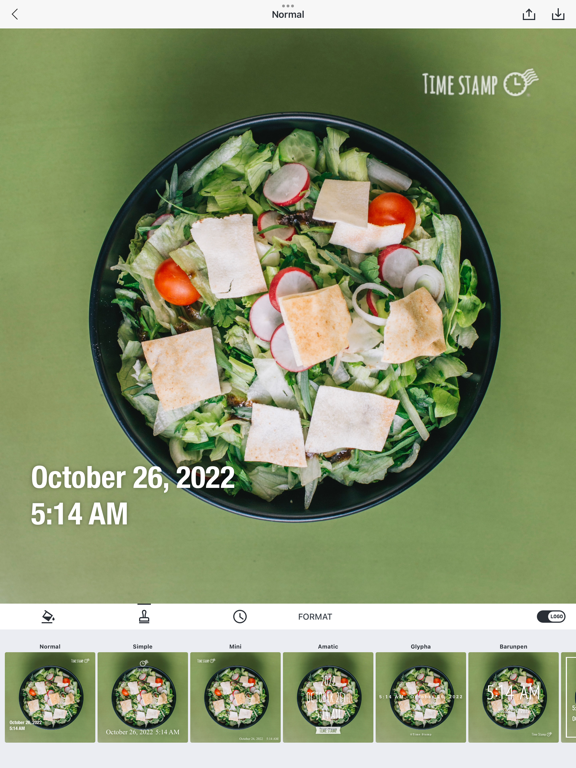
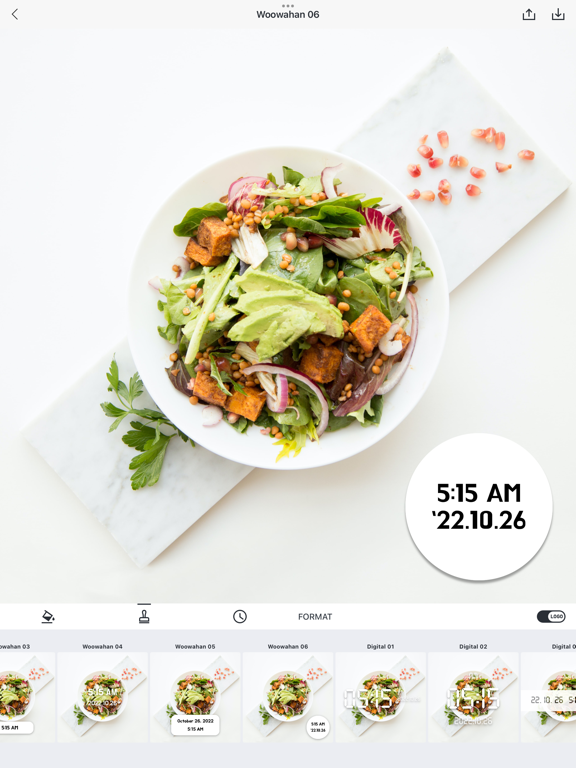
• Escolha entre mais de 26 estilos premium de carimbo (Normal, Simple, Slim, Digital, Woowahan e mais)
• Personalize a cor da fonte para combinar com sua foto
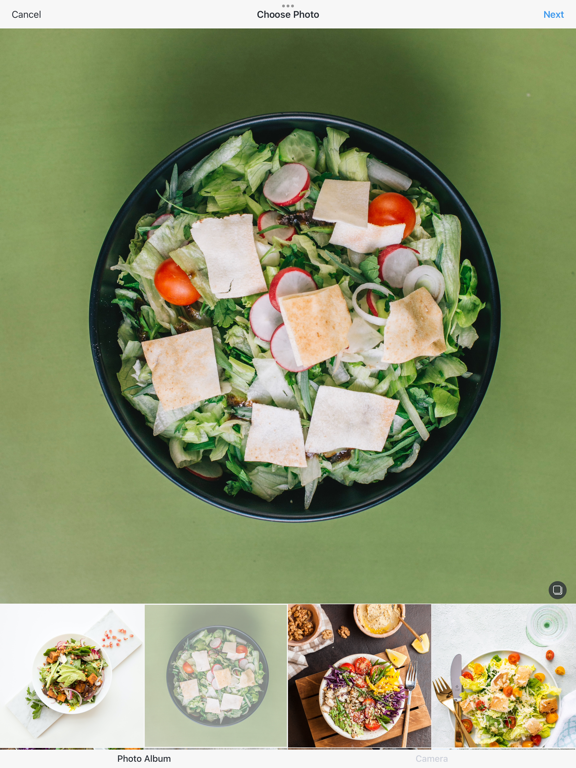
• Importe fotos da galeria e adicione carimbos
• Salve diretamente no Rolo da Câmera e compartilhe no Instagram, WhatsApp e redes sociais
• Proteja suas fotos com bloqueio por senha
COMO USAR
1. Tire uma foto ou escolha da sua galeria
2. Escolha seu estilo de carimbo favorito (mais de 26 estilos)
3. Ajuste a cor e a posição
4. Salve no Rolo da Câmera
5. Compartilhe nas redes sociais se quiser
POR QUE VOCÊ PRECISA DE CARIMBOS DE DATA
Quando você move ou faz backup de fotos, as datas dos arquivos podem mudar. Uma foto tirada em 2022 pode aparecer como 2026. Com o Timestamp Camera, a data e a hora ficam gravadas diretamente na foto — então você sempre sabe quando aquele momento aconteceu.
QUEM USA O TIMESTAMP CAMERA
• Dieta & Fitness — Acompanhe mudanças corporais, treinos e refeições ao longo do tempo. Perfeito para emagrecimento, ganho muscular e hábitos alimentares saudáveis
• Pais & Mães — Documente o crescimento do bebê e crie uma linha do tempo de memórias. Registre os primeiros passos, marcos e momentos do dia a dia
• Estudantes — Marque sessões de estudo diárias ou anotações para revisão mais fácil. Acompanhe o progresso dos estudos e a preparação para provas
• Eventos & Projetos — Documente eventos, obras ou etapas de projetos e compartilhe com clientes. Perfeito para construtores, organizadores de eventos e freelancers
• Fotógrafos & Viajantes — Mostre como o mesmo lugar fica em diferentes estações ou horários. Crie comparações de antes e depois
RECURSOS DA CÂMERA
• Fotos claras e nítidas usando câmera frontal ou traseira
• Zoom de alta resolução para fotos detalhadas
• Suporte a flash para condições de pouca luz
• Controle de balanço de branco para cores melhores
• Fotos em qualidade HD sem perda de qualidade
ESTILOS PREMIUM DE CARIMBO
Acesse mais de 26 belos designs de carimbo:
• 7 estilos gratuitos (Normal, Simple, Mini, Amatic, Glypha, Barunpen, Box)
• 19 estilos premium incluindo Slim Pack (6), Woowahan Pack (6), Digital Clock Pack (6)
• Estilo Aniversário para datas especiais
• Cores personalizadas e posicionamento para todos os estilos
DETALHES DA ASSINATURA
• Desbloqueie todos os estilos premium com o Timestamp Premium
• Remova todos os anúncios para uma experiência limpa
• Teste gratuito de 7 dias disponível
• Cancele a qualquer momento antes da renovação
• Planos mensal e anual disponíveis
MAIS
• Design leve e simples, fácil de usar
• Sem redução na qualidade da foto
• Recurso Retrospectiva do Ano para rever suas fotos
• Estável e responsivo durante o uso normal
• Atualizações regulares com novos estilos
• Disponível em mais de 10 idiomas
Perfeito para: diário fotográfico, registro de refeições, diário de treinos, álbum do bebê, documentação de projetos, fotos de antes e depois, hábitos diários, acompanhamento de metas, preservação de memórias e cada momento que vale a pena lembrar.
Baixe o Timestamp Camera e comece a adicionar datas reais a momentos reais.
Terms of Use: https://www.apple.com/legal/internet-services/itunes/dev/stdeula/
Privacy Policy: https://timestamp.camera/privacy.html
See this store page in another country
Prices, ranks and reviews are per country. Revenue above is already worldwide.