ASO keywords
Most repeated terms in the listing. Highlighted ones also appear in the title.
count15items11inventory10hand10food7time6costs6vendor6orders5management5easy5location5independent small5small regional5food costs5food beverage5beverage inventory5counting4category4review4hotschedules count3efficiently count3count hand3hand inventory3
What's new in 1.10
Small bug fixes
Released Oct 29, 2015. Current version shipped Sep 15, 2016.
Store description
YOU CAN COUNT ON IT
Nothing eats away at time and profits like poorly managed inventory. And if you’re an independent or small regional restaurant chain, the existing tools to help deal with inventory include old school spreadsheets or technology products that are overly complex, expensive, incomplete or ill-suited to smaller operations. That is, until now.
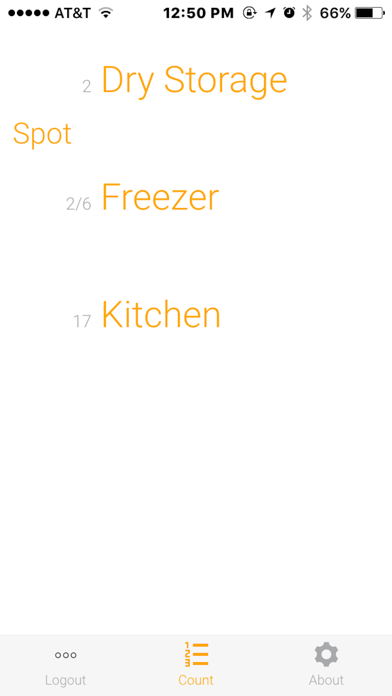
HotSchedules Count is a mobile application that allows independent and small regional, restaurants to efficiently count their on-hand inventory and queue orders for products that are below their defined ideal on-hand quantities. It saves hours of time by making the counting process smart and efficient and significantly improves inventory management accuracy, which leads to lower food costs. Even better, HotSchedules Count is fully customizable to your operation, as well as easy to get up and running fast!
REDUCE ERROR, SAVE TIME
Efficiently count your on-hand inventory and queue orders for products that are below their defined ideal on-hand quantities – right from your phone. Integration with Aloha POS now available.
CONTROL WASTE & COSTS
Get control on both food and beverage inventory, understand the true cost of your menu, track variances, reduce food costs, food waste and internal theft.
MANAGE YOUR VENDORS
HotSchedules Inventory is fully customizable to your operation and makes it easy to add or remove vendors and print purchase orders.
FEATURES OVERVIEW
• Designed to be used on mobile devices
• Designed specifically for independent and small regional operators
• Set-up quickly and easily: minutes versus weeks or months
• Customize inventory lists and make necessary updates as needed
• Control both food and beverage inventory
• Link to ordering to drive efficiency in maintaining stock on hand
• Managing items in your store is as simple as managing your playlist thanks to easy-to-use, intuitive design
Customizable Dashboard & Reports
• POS integration pulls in sales, sales mix and variance data
• View outstanding orders
• View receiving costs by category
• Review location or category totals
• On-hand report provides point-in-time views of product
• based on most recent count and receivings
• COGS Report analyzes Cost of Goods Sold between two count events by category and item
Real-Time Count Actions
• Review location or category totals for accuracy
• Drill into the count detail
• Return to count to correct any mistakes
• See counted on-hand quantity versus par
• Queue items with one touch to order from the count review
• Receive spreadsheet file of on-hand values to your email
• Receive spreadsheet of purchase order to your email
Vendor Management
• Easy vendor setup and management
• Rapidly add items manually or import items from spreadsheets
• View receiving costs by vendor
• Review previous orders by vendor
• Add items, print a purchase order or download a file that can be emailed to your vendor
Real-Time Counting
• Count food and beverage inventory
• Count vendor items
• Count in multiple units of measure
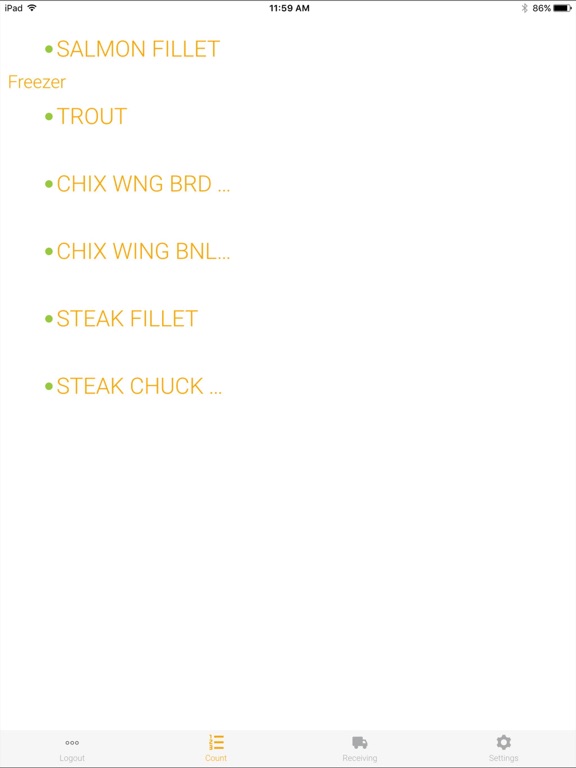
• Sort items in their storage location for accurate sheet to shelf counting
• Count offline and synchronize when back online
• Supports left or right-hand data entry
Recipe Management
• Drag and drop ingredients into recipes
• Easily modify the most expensive ingredients
• Setup menu pricing and food costs
• Automatic profit calculation as you build the ingredient’s conversion
• Ensure you have the right stock on-hand with easy ordering links
Store Management
• Organize items by location and sub-location to speed the counting process
• Identify high cost/high loss items that need to be counted more frequently
• Set par levels for your items
• Perform catalog import to bring in all the items and prices list from vendors
See this store page in another country
Prices, ranks and reviews are per country. Revenue above is already worldwide.