← Back to charts
Adobe Illustrator: Graphic Art icon
APP STORE

Adobe Illustrator: Graphic Art

Adobe Inc. · Graphics & Design · United States store
NOT IN TOP 100 HERE
View on App Store ↗
Revenue a month, worldwide EST
$110.6K
Likely $36.9K to $331.7K
New ratings
Tracking
Daily counts start building from today
Rating
4.5 of 5
38.3K ratings in this store
Countries it ranks in
0
was 0 on Oct 14, 2026

Revenue

Estimated from the grossing charts of Oct 21, 2026 in the 53 countries we track, and ratings growth on the App Store.

EST. REVENUE / MONTH · WORLDWIDE · FROM RATINGS GROWTH
$110.6K
Range $36.9K to $331.7K
EST. REVENUE / YEAR · WORLDWIDE
$1.3M
1416 new ratings a month on average since launch
EST. LIFETIME DOWNLOADS
1.3M to 3.8M
Estimated from ratings count
WHERE ITS USERS ARE · SHARE OF RATINGS
  • United States 38.3K ratings38%
  • Japan 18.2K ratings18%
  • South Korea 7.8K ratings8%
  • United Kingdom 5.1K ratings5%
  • Mexico 4.3K ratings4%
  • Germany 4.2K ratings4%
  • Canada 3.9K ratings4%
  • France 3.5K ratings3%
HOW SURE ARE WE
Not in any grossing chart, so this comes from ratings growth (1416 new ratings a month on average since launch): about $100 a month per new rating a month. Tested on 418 apps with verified revenue: typically off by about 2 times, and big earners tend to come out low. Countries we don't track (and Google Play in China, which doesn't exist) aren't included, and neither are ads or web payments. Gross revenue before store fees.
RATINGS
38.3K
AVG RATING
4.50
PRICE
Free
AGE
6.0y
LAST UPDATE
356d ago
VERSION
3.0.10
SIZE
856 MB
AGE RATING
4+

Last 28 days

From our daily snapshots of every grossing chart.

DAYS IN A GROSSING CHART
0 / 28
COUNTRIES NOW
0 (was 0)
EST. REVENUE FROM CHARTS, DAILY · APP STORE ONLY EST
Show daily values
Sep 24, 2026not in a grossing chart
Sep 25, 2026not in a grossing chart
Sep 26, 2026not in a grossing chart
Sep 27, 2026not in a grossing chart
Sep 28, 2026not in a grossing chart
Sep 29, 2026not in a grossing chart
Sep 30, 2026not in a grossing chart
Oct 1, 2026not in a grossing chart
Oct 2, 2026not in a grossing chart
Oct 3, 2026not in a grossing chart
Oct 4, 2026not in a grossing chart
Oct 5, 2026not in a grossing chart
Oct 6, 2026not in a grossing chart
Oct 7, 2026not in a grossing chart
Oct 8, 2026not in a grossing chart
Oct 9, 2026not in a grossing chart
Oct 10, 2026not in a grossing chart
Oct 11, 2026not in a grossing chart
Oct 12, 2026not in a grossing chart
Oct 13, 2026not in a grossing chart
Oct 14, 2026not in a grossing chart
Oct 15, 2026not in a grossing chart
Oct 16, 2026not in a grossing chart
Oct 17, 2026not in a grossing chart
Oct 18, 2026not in a grossing chart
Oct 19, 2026not in a grossing chart
Oct 20, 2026not in a grossing chart
Oct 21, 2026not in a grossing chart
Best rank Sep 24, 2026: not ranked. Now: not ranked. Days at zero are days outside every grossing chart.

Money and momentum

Measured from the store, not estimated.

WHAT IT CHARGES
4 purchases listed
  • Illustrator on iPad : Monthly$9.99
  • Adobe Design Mobile: Monthly$14.99
  • Illustrator on iPad : Yearly$79.99
  • Adobe Design Mobile: Yearly$149.99
Top in-app purchases as listed on the App Store, in local prices.
REVIEW MOMENTUM
2.6 reviews / week
  • Trendfalling
  • Recent reviews average1.8 stars
  • Recent 1 and 2 star share75%
From the latest 500 written reviews, covering 1339 days. The store only returns this many, so this is the most recent slice.
RELEASE CADENCE
0 updates in 90 days
  • Typical gap between releases49 days
From the last 25 versions listed on the App Store.
RATING BREAKDOWN
38.3K ratings
5★79%
4★8%
3★4%
2★2%
1★7%

What users say

Latest reviews, United States App Store.

★★★★★Oct 20, 2026
Great app, but completely freezes on iPad Pro M5 (Touch Shortcut bug)

I really love using Illustrator on my iPad, but I am having a critical issue on my new iPad Pro M5. Every time I use the Selection tool in combination with the Touch Shortcut circle (the floating wheel), the entire app freezes completely. I have to restart my iPad to make it work again. For now, I have to avoid using the shortcut wheel entirely to prevent crashes. Please fix this bug for the M5 chip architecture as soon as possible! Apart from this, it is an amazing app.

★★★★★Oct 18, 2026
Believe the reviews

Check out the last year of reviews: users have complained about a program they want to like, but the bugs have killed the usability of Illustrator. Worse yet, Adobe seems to have abandoned updating or even fixing Illustrator

★★★★★Oct 10, 2026
Crashes on iPad

I thought that the constant crashes were because I didn’t have enough memory or that my iPad was too old. Got a brand new one and put very little on it. It still barely works and crashes too often. Not great for a graphic designer.

★★★★★Oct 10, 2026
Disappointed

Would like to see more features available that are already available on desktop

★★★★★Oct 8, 2026
Could be useful but...

Illustrator for iPad has serious stability and responsiveness issues. I’m using a current iPad Pro with plenty of available performance, and the app frequently becomes unresponsive or force-closes while working on relatively simple vector artwork. I’ve experienced freezes during basic editing, Type on Path operations, Pathfinder/Combine Shapes work, and even while renaming or saving a document. In one case, an existing document repeatedly returned “Can’t Place File” for both JPEG and PNG images, while the exact same images placed normally in a new Illustrator document. Copying the image from the new document into the existing one worked, which suggests a document-state or application bug rather than a file-format problem. The app is extremely useful when it works, especially with Apple Pencil, but the instability makes it difficult to trust for professional production work. Constantly saving, duplicating files, reopening the app, and creating workarounds to avoid crashes significantly disrupts the workflow. Illustrator for iPad could be an excellent professional design tool if Adobe focused heavily on stability, document reliability, and responsiveness.

★★★★★Sep 30, 2026
Crashes so often, can’t even work properly

Just as the title says. This app crashes 10 billion times before you can even start a project.

Store screenshots

ScreenshotScreenshotScreenshotScreenshotScreenshotScreenshotScreenshotScreenshotScreenshotScreenshot

App Store ads

Apple Search Ads this app ran in the last 90 days, from Apple's public ad repository.

Apple's ad repository couldn't be reached right now. Try again later.

Growth research

Where this app is buying and earning its users. Each link opens pre filtered.

ASO keywords

Most repeated terms in the listing. Highlighted ones also appear in the title.

fonts8adobe8illustrator7create6graphics6design5color5pencil4gradients4lines shapes3automatically synced3creative cloud3adobe linkfree3lines3shapes3type3creatives3across3photoshop3cloud3desktop3creative3without3quality3

What's new in 3.0.10

Improvements include enhancements to experience, stability, and bug fixes.

Released Oct 19, 2020. Current version shipped Oct 31, 2025.

Store description

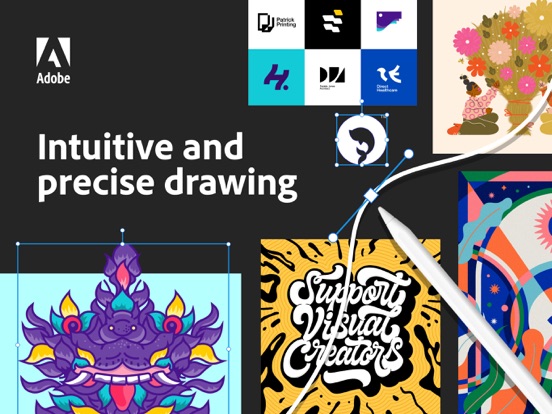
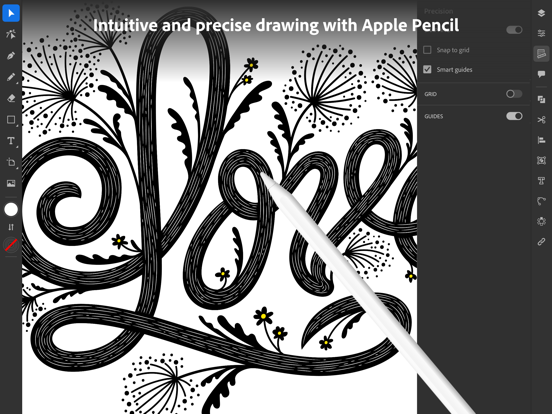
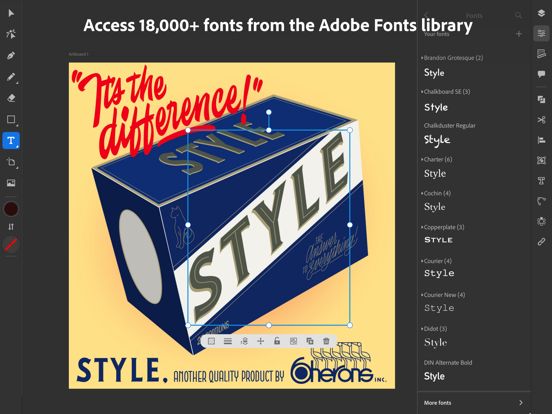
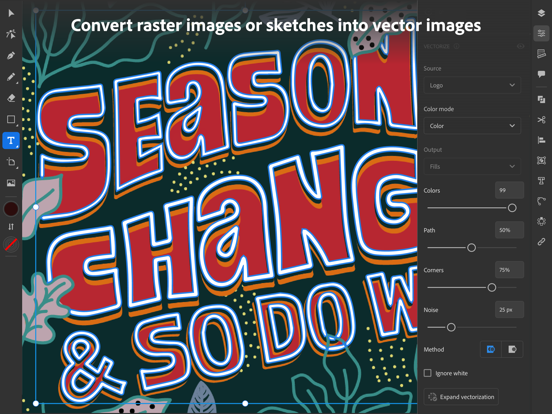
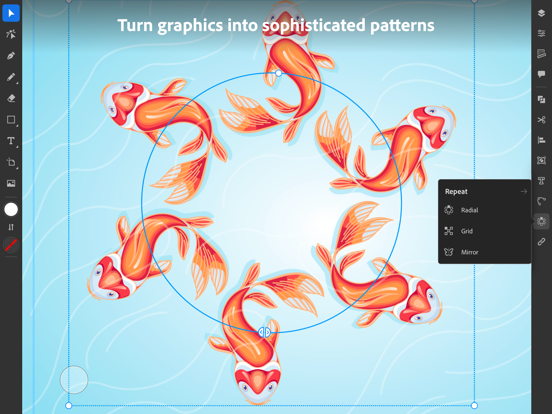
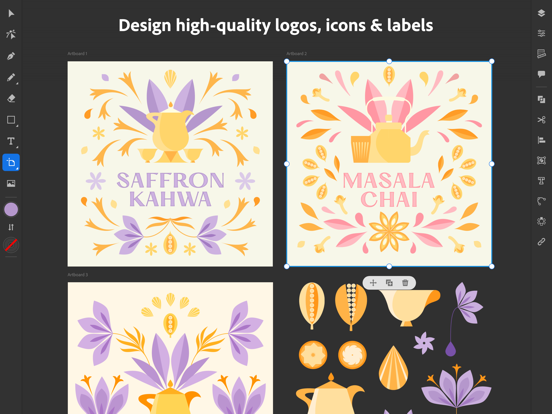
Create logos, illustrations, graphics and more. Illustrator on the iPad works intuitively with your Apple Pencil so you can design on the go from anywhere, even offline - it’s never been easier to take your creativity to new places. Design with precision, as naturally as you would with pen and paper. Create vector lines, shapes, type, gradients, and effects. Merge or cut graphics with quick, intuitive Pencil gestures to remove unwanted areas. Make your graphics pop with effects, and access over 18,000 fonts, 20+ color palettes, up-to-the-minute live streams from famous creatives, and guided tutorials. Work on a project across Adobe Illustrator, Photoshop, and Fresco. Plus, your Illustrator work is automatically synced to the cloud, so you and your team can always access the latest version from your desktop or iPad. This app is part of Adobe Creative Cloud. It’s free for Creative Cloud members who have a plan that includes Illustrator. INTUITIVE AND PRECISE DRAWING WITH APPLE PENCIL • Natural ways to draw — Make lines and curves using the Pen, Pencil, and Brush tools • Art and Calligraphic Brushes — Create and apply brush strokes to add artistic elements to your artwork. • Pinpoint editing — Create perfect graphics without quality loss with Smart Delete, Simplify Path, and more • Point precision — Edit graphics down to the point, radius, or angle level NEW WAYS TO MAKE STUNNING PATTERNS AND SHAPES • Vectorize — Convert raster images or paper sketches into vector images. • Radial, grid, and mirror repeat — Turn graphics into sophisticated patterns • Polygon shape creation — Make objects out of circles, triangles, squares, and stars • Transform as Shape — Transform paths and curves without manual manipulation of anchor points. • Blend Tool — Smoothly blend one shape into another across a specified number of steps. THE MOST COMPREHENSIVE TYPE TOOLKIT FOR IPAD • 18,000+ fonts — Use one of the thousands of high-quality fonts included in the Adobe Fonts library • Fonts of your own — Upload and design with any of your own licensed fonts and use them on both desktop and iPad • Type on a path — Bend and flow text onto the surface of lines and shapes • Outlined text — Turn text into an editable format that can be modified without limits • Variable fonts — They’re infinitely customizable • Color fonts — Explore gorgeous color variations and gradients that are built into the font BRILLIANT COLORS AND GRADIENTS • Point gradients — Drag and drop colors to create dynamic blends of diffused colors • 20+ color books — Use industry-standard color swatches or incorporate your own SEAMLESS MOVEMENT BETWEEN DEVICES AND APPS • File syncing between Illustrator on the desktop and on the iPad — Projects are automatically synced and accessible across devices • Photoshop import — Easily place a Photoshop image into your Illustrator design • Standard file format export — Create, save, and open Illustrator (AI) files with no loss of quality, and export in the most common formats, including SVG, PDF, PNG, and PSD. KEEPING TABS ON THE LATEST CREATIVE TRENDS • Livestreaming — Watch and learn from top design-industry creatives daily, right within the app • Trends to discover — Explore projects by other creatives Terms & Conditions: Your use of this application is governed by the Adobe General Terms of Use http://www.adobe.com/go/terms_linkfree_en and the Adobe Privacy Policy http://www.adobe.com/go/privacy_policy_linkfree_en Do Not Sell My Personal Information: www.adobe.com/go/ca-rights-linkfree

See this store page in another country

Prices, ranks and reviews are per country. Revenue above is already worldwide.

More from Adobe Inc.

Acrobat Reader: PDF Editor
Business
661.8K ratingsAnalyze →
Photoshop Express Photo Editor
Photo & Video
741.4K ratingsAnalyze →
Lightroom: AI Photo Editor
Photo & Video
337.5K ratingsAnalyze →
Adobe Scan: PDF & Doc Scanner
Business
1.6M ratingsAnalyze →
Adobe Express: Create Anything
Graphics & Design
369.2K ratingsAnalyze →
Adobe Photoshop: Photo Editor
Photo & Video
94.7K ratingsAnalyze →
Adobe Lightroom for iPad
Photo & Video
51K ratingsAnalyze →
Adobe Fresco: Draw & Paint App
Graphics & Design
62.2K ratingsAnalyze →
Adobe Lightroom: Photo Editor
Photo & Video
0 ratingsAnalyze →